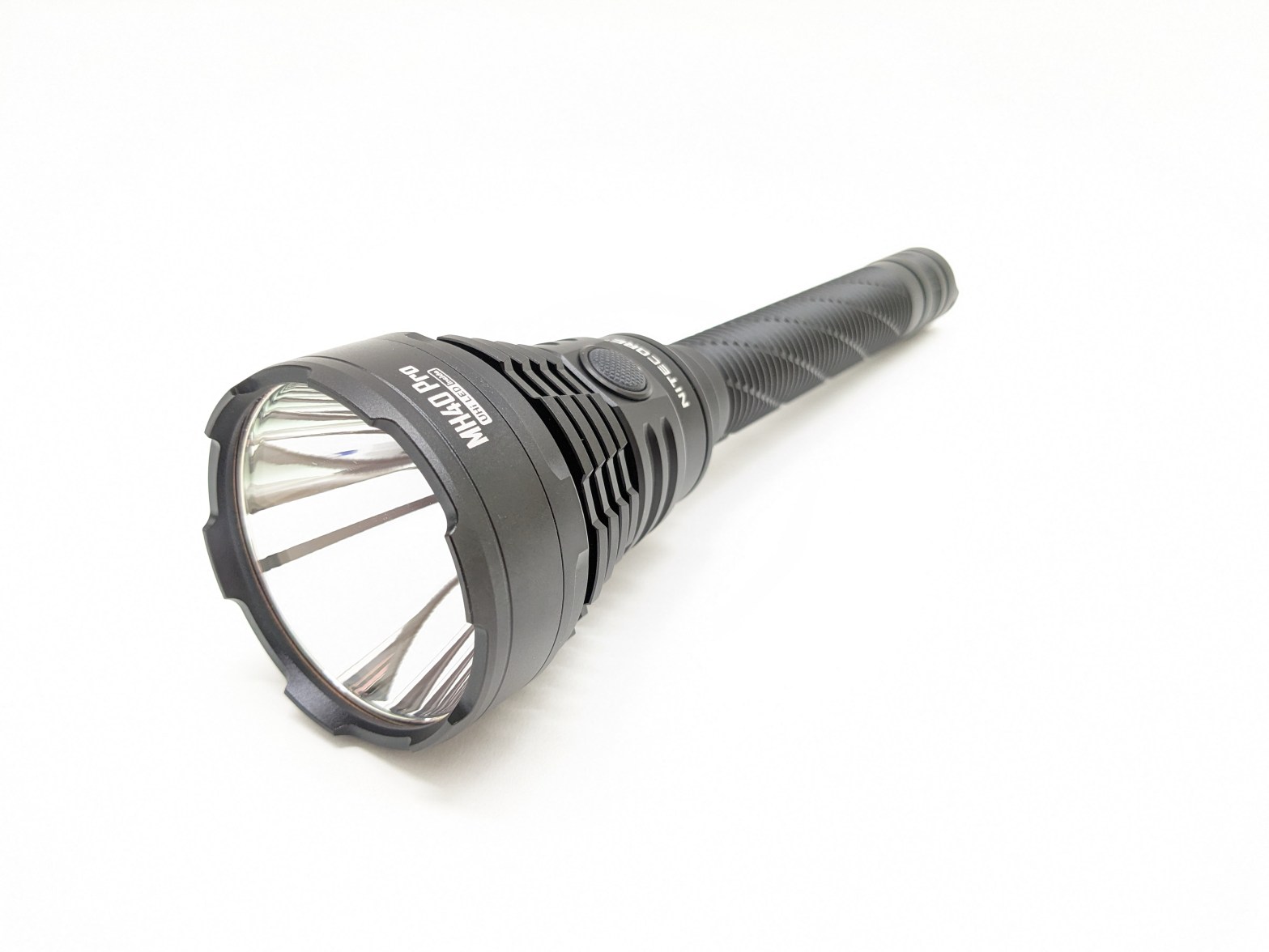
- Pricing & Availability
- What comes in the box?
- Design & Construction
- Size & Measurements
- User Interface
- Emitter & Beam
- Mode Chart
- Runtime
- Driver & Regulation
- Switch
- Carry & Ergonomics
- Batteries & Charging
- Competition
- Conclusion
Pricing & Availability
Nitecore sent me this light in exchange for an honest review. Here is the official product page where you can see current pricing. At the time of writing, it’s $170 USD.
What comes in the box?
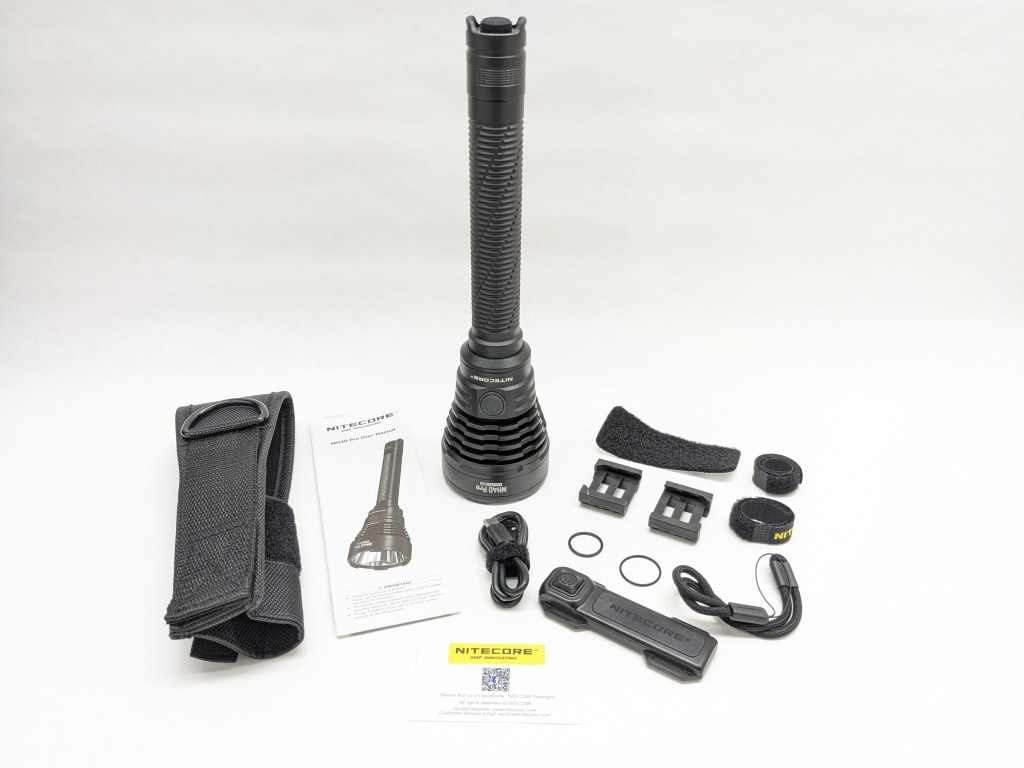
MH40 Pro comes in a high-quality black box with a magnetic closure. The contents are secured with a mix of foam inserts and smaller boxes. Inside is:
- The light itself
- Battery (inside the light)
- User manual
- Holster
- Remote control
- Mounting hardware for remote
- USB A-to-C charging cable
- Spare o-rings
- Wrist lanyard


Design & Construction

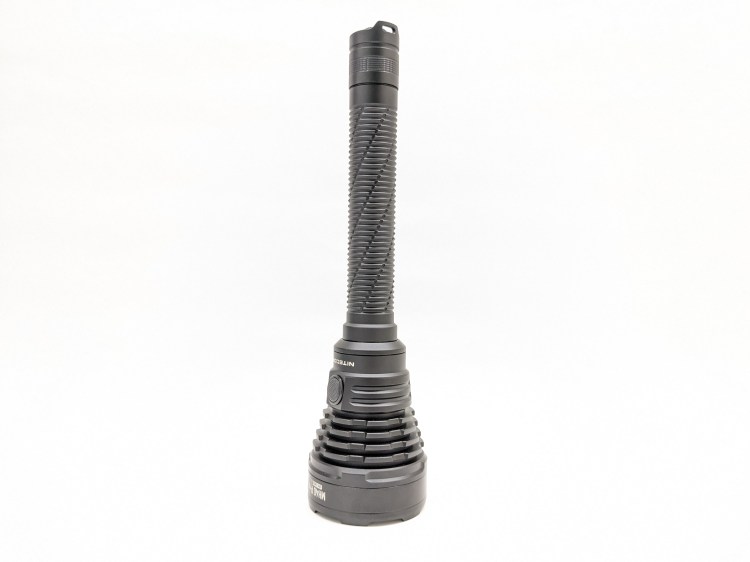


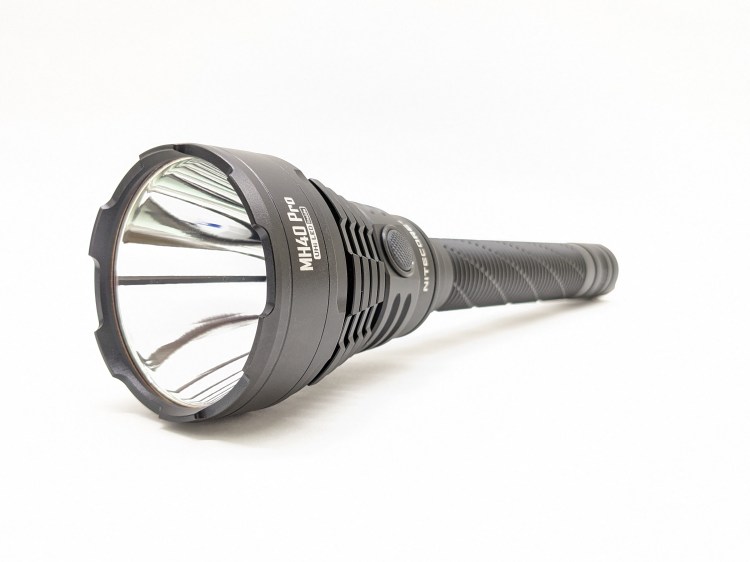
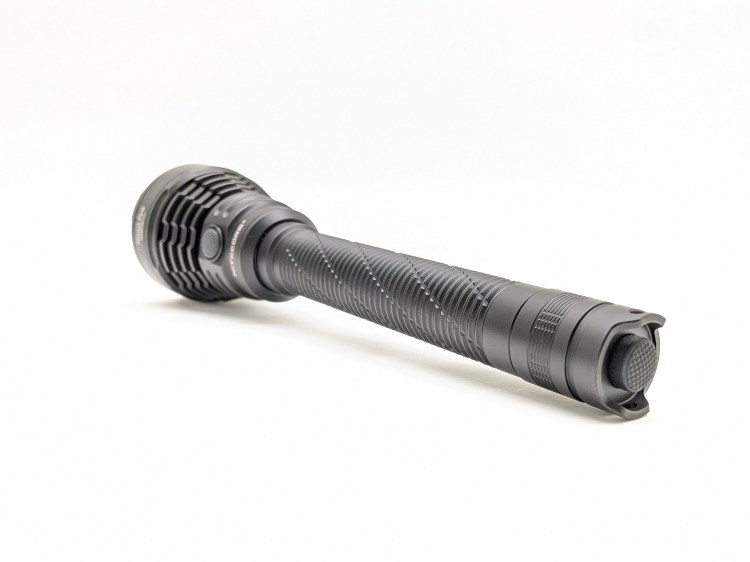


Build quality is great. It’s built tough, but not excessively so. The host is actually fairly light for this size class and it doesn’t look overly aggressive like some competitors. The fit and finish are excellent.
Size & Measurements
Maglite 2D | Nitecore MH40 Pro | Acebeam P20 | Sofirn SP60 | Mini Maglite

Measurements: I accidentally included measurements for the wrong light and don’t have the MH40 Pro anymore at the time of this edit, so I’ve removed the measurements table from this review.
User Interface
The light itself has a typical dual-switch UI. It’s not my favorite, but it works. The included remote control has a different UI that I actually prefer.
Operation:
- Tail switch: clicking turns the light on or off. If you half-press from off, it will turn on momentarily and turn off when you release the switch.
- Side switch: When the light is on, click to change modes (Low-Med-High-Turbo) or hold to activate Strobe. From Strobe, hold again to activate Beacon. From Beacon, hold again to activate SOS.
Remote operation:
- The light’s tailswitch must be on for the remote to work.
- Small button: Full press to turn the light on/off. Half-press to change modes.
- Large button: momentary Turbo
What they got right:
- There are no fast-click shortcuts. That makes the light predictable. You can blink the tailswitch all you want and it won’t change modes on you. You can cycle through the different modes quickly and accurately without accidentally activating Strobe or something.
- Mode memory is present. That means you can set the light to the mode you want and it will always come back on in that mode unless you change it.
- Strobe is hidden behind a long hold of the side switch. That means you don’t have to cycle through it and you’re unlikely to stumble into it by accident.
What they got wrong:
- No low shortcut. Many dual-switch lights allow you to press the tail switch while holding the side switch to activate the lowest mode, and that can be
- Under-utilized LED. The UHI-40 MAX LED has a center throw die, and a ring of eight smaller dies for flood. There’s no flood-only mode without the center die turned on, and there’s no maximum throw mode with only the center die turned on. That’s a missed opportunity.
- Side e-switch is single stage. Nitecore has great two stage switches, and they even put one in the remote control. I wish the side switch on the light worked exactly the same way as the two-stage switch on the remote.
- Blinkies are memorized. If you put the light in Strobe and turn it off, it’ll still be in Strobe the next time you turn it on. That’s not great.
Emitter & Beam

Nitecore chose a NiteLab UHI-40 MAX LED for this light. It’s a unique package with a round die in the center for throw, and eight square dies in a circle around the center die to provide extra lumens and fill in the spill. I’ll call those 8 LEDs the “flood ring”. While I think the LED is promising, this sample is pretty green and I don’t love the UI implementation.
There’s no mode where the center die is on at full power without the flood ring. I wish there were, so I could get maximum throw for longer before thermal stepdown. There’s also no way to use the flood ring on lower modes, so you can’t use it to brighten the spill when you’re just walking around. That’s a missed opportunity.
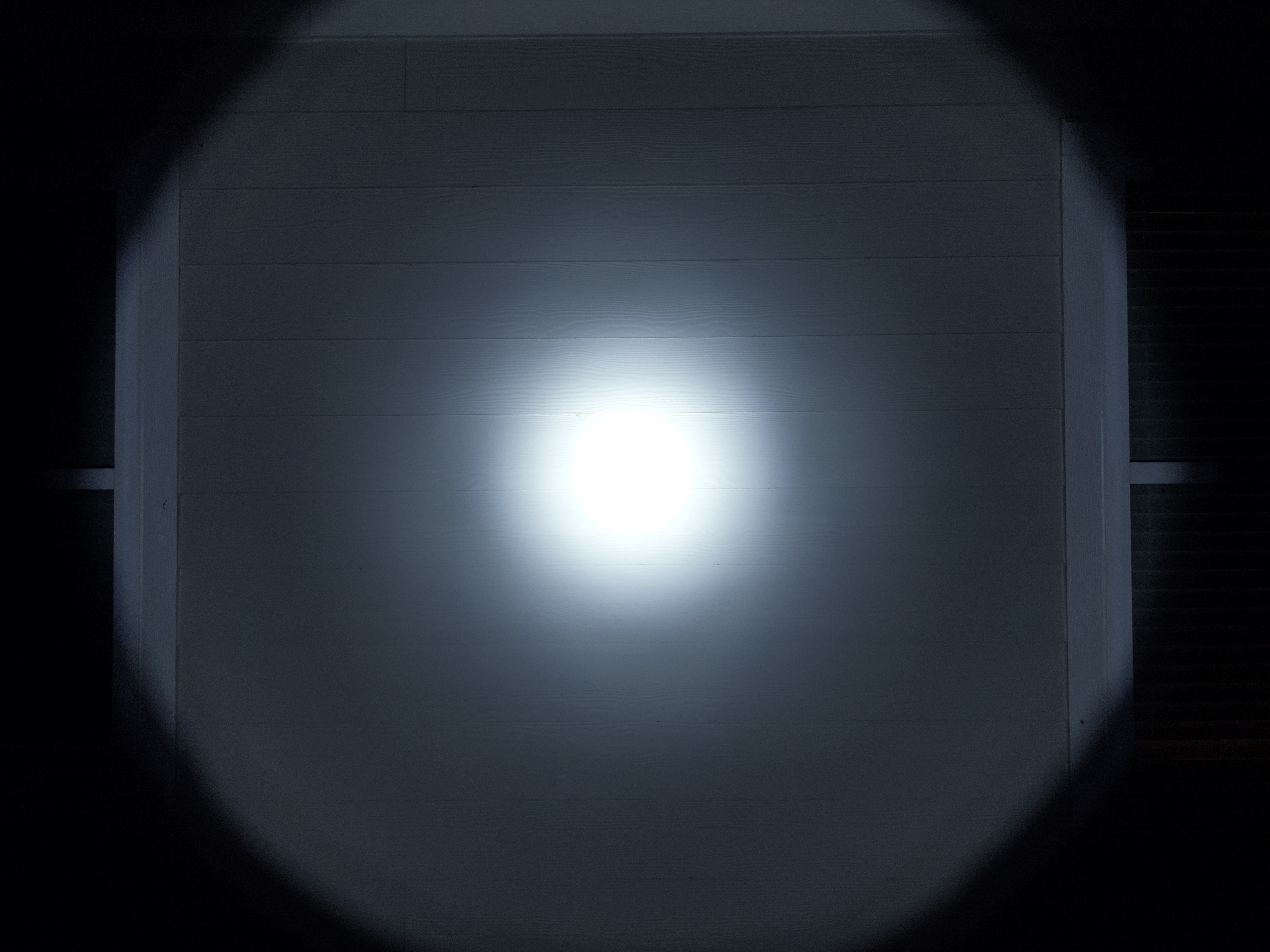

The beam in Low-High is narrow with a crisp hotspot and dim but usable spill. On Turbo mode, the flood ring activates, brightening the spill considerably.
In the beamshots below, camera settings are fixed and the wall is 2.8M away.


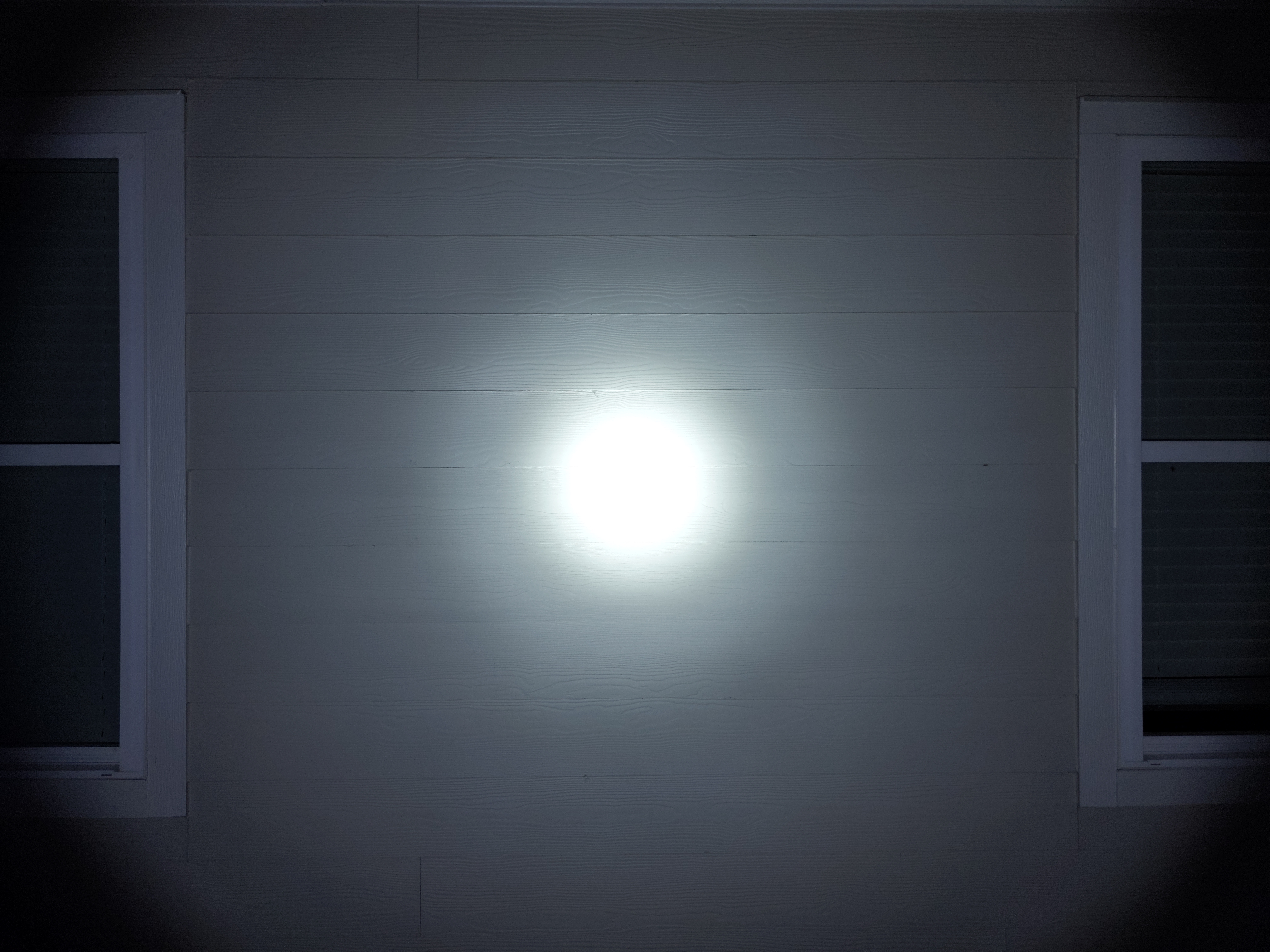

In the beamshots below, camera settings are fixed, the basketball goal to the right of the hotspot is 39M away, and the power pole in the center is 185M away.


Mode Chart
Disclaimer: All of my measurements are taken at turn-on. Lumen measurements were taken on a Texas Ace 3.5″ Lumen Tube. A candela measurement was taken at 10 meters with an Opple Light Master III on the highest brightness, and other candela figures were calculated relative to that. CRI, CCT, & DUV data were taken for each mode from a few feet away at the center of the hotspot with the Opple Light Master and Waveform DUV Calculator. Runtime tests were performed with the Ceilingbounce app on my smartphone. These tests were performed with a fully charged included battery unless otherwise specified. I cannot measure moonlight directly, so moonlight readings are calculated based on the brightness relative to the next-lowest mode. None of this is professional equipment, so take these measurements with a grain of salt.

The official specs are above, followed by my own measurements below.
| Level | Lumens | Candela | Throw (Meters) | CRI (Ra) | Color Temp. (K) | DUV (Tint) |
| Turbo | 3200 | 380000 | 1233 | 66 | 6185 | 0.0079 |
| High | 1200 | 250000 | 1000 | 65 | 6050 | 0.0091 |
| Medium | 290 | 60000 | 490 | 62 | 5640 | 0.0129 |
| Low | 68 | 14000 | 237 | 61 | 5470 | 0.0151 |
Runtime

Performance is good/average. Turbo runtime, sustained brightness, and total runtime are all close to other 2×21700 lights I’ve tested.
Thermal regulation appears to consist of a timed stepdown around 1 minute, and some active regulation after that. Active cooling made the light perform strangely, stepping down faster than the uncooled test at first, then sustaining higher brightness, and then stepping down due to low voltage much earlier.
LVP (Low Voltage Protection) is present and works well with the included battery. When the battery is effectively empty, the light will shut itself off. It doesn’t rely on the battery’s protection circuit and the light can be re-activated in an emergency.
Driver & Regulation
The driver must have a buck circuit because this is a 3V LED but the light can take two 3.7V batteries in series. The fact that it has higher advertised performance on its included 3.7V battery makes me suspect there’s also a FET channel for Turbo mode, but I’m not certain.

Regulation performance is average. No mode is noticeably affected by battery voltage until the battery is effectively empty. I expect regulation performance will be better on two 21700 cells, but Turbo brightness will be noticeably lower. I only tested with the included battery.
PWM: There’s audible PWM when it ramps down from Turbo, but it goes away once the brightness settles. I didn’t notice PWM anywhere else.
Parasitic Drain: There is no parasitic drain because this light uses a mechanical switch.
Switch
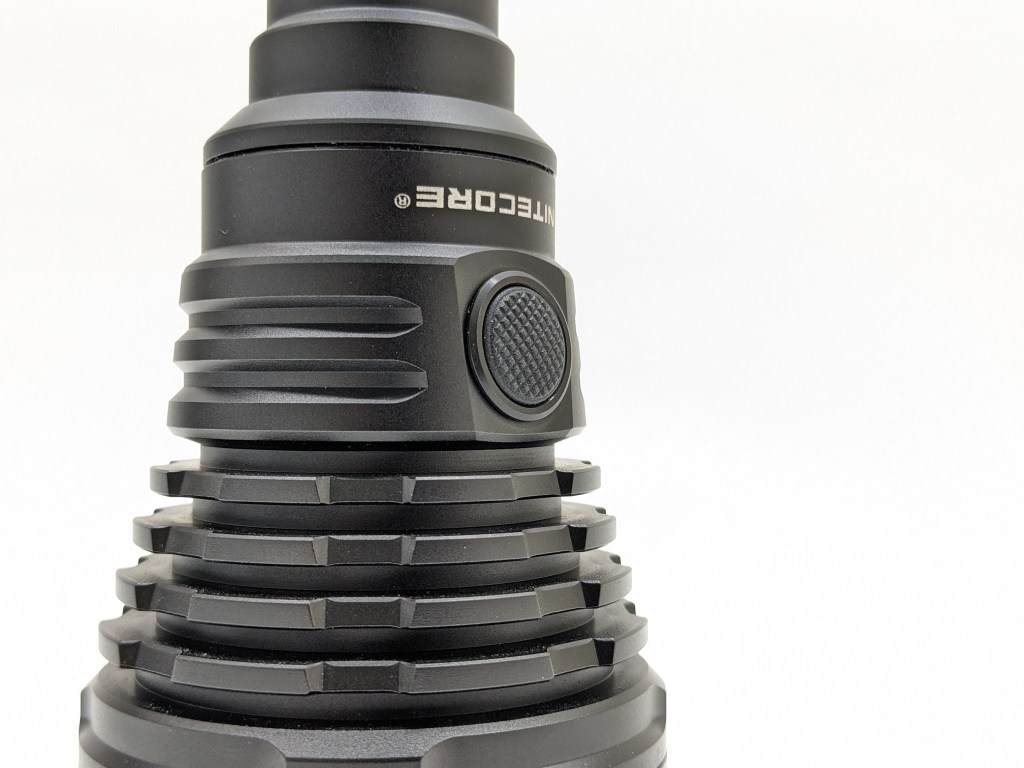

MH40 Pro has two switches on the light itself; a forward clicky tailswitch (for on/off & momentary) and an electronic side switch (for mode changes). The UI is simple and industry-standard.
There’s also a remote with a small two-stage switch and a large momentary switch. The two stage switch controls on/off and mode changes, while the momentary switch does instant Turbo. It’s a great switch setup, and I wish the switches on the light were set up exactly the same way.
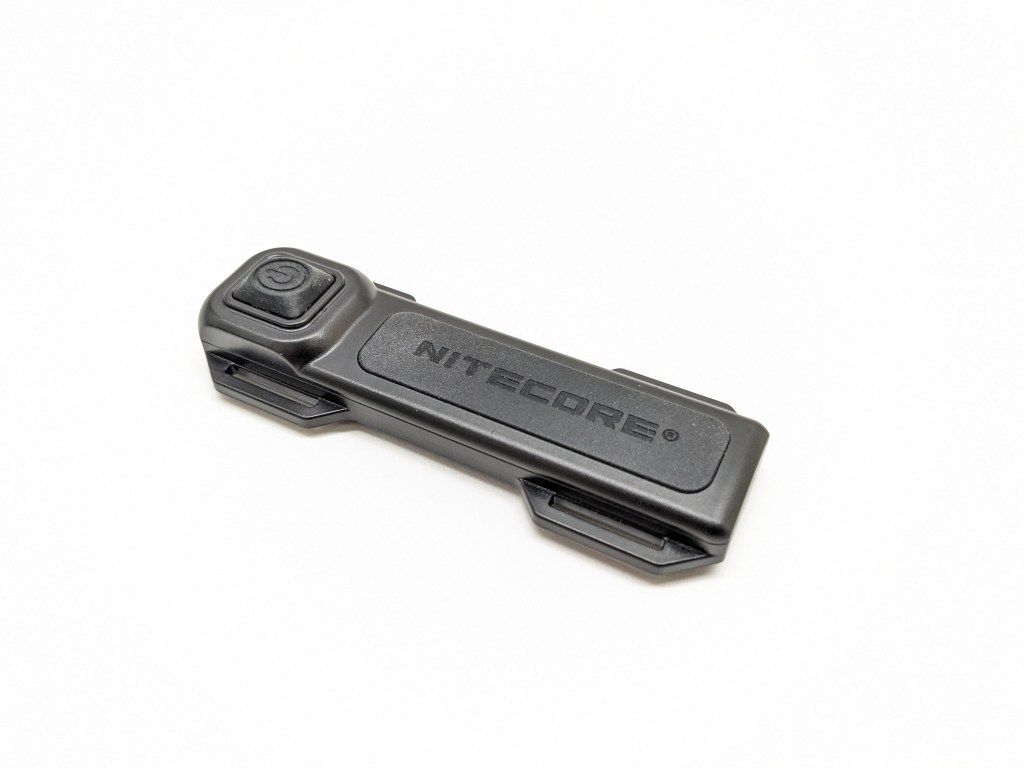
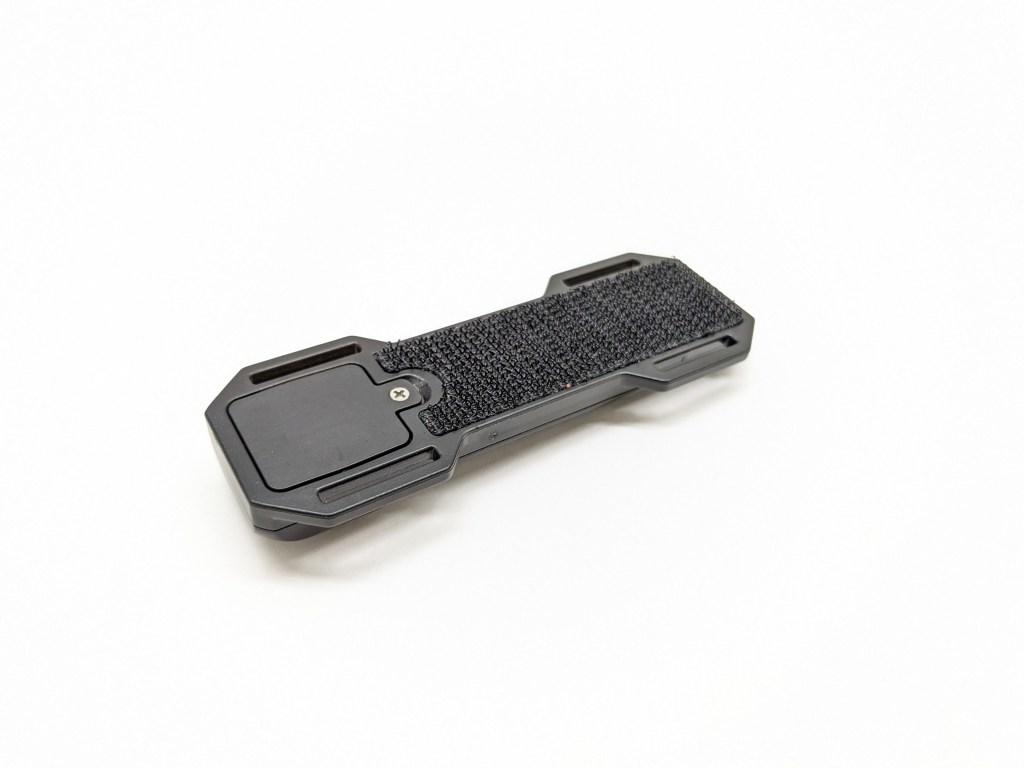
That remote is pretty cool and is designed to be mounted to a rifle with the light. Most remote switches for rifle lights have a cable connecting them to the tailcap of the light, but this system is wireless and that’s super convenient. Nitecore includes some mounting options for the remote in the box (adhesive pad, Velcro straps, and picatinny mounts). This is an awfully big light to be mounting to a rifle, but I’m excited to see what other Nitecore models come with this remote in the future.
Carry & Ergonomics
Ergonomics are ok. The light is so large that accessing the tailswitch requires you to adjust your grip or use your other hand. If all you need is the side switch, it’s very comfortable to hold in a forward or neck grip. A reverse grip is doable but the light is pretty front-heavy.


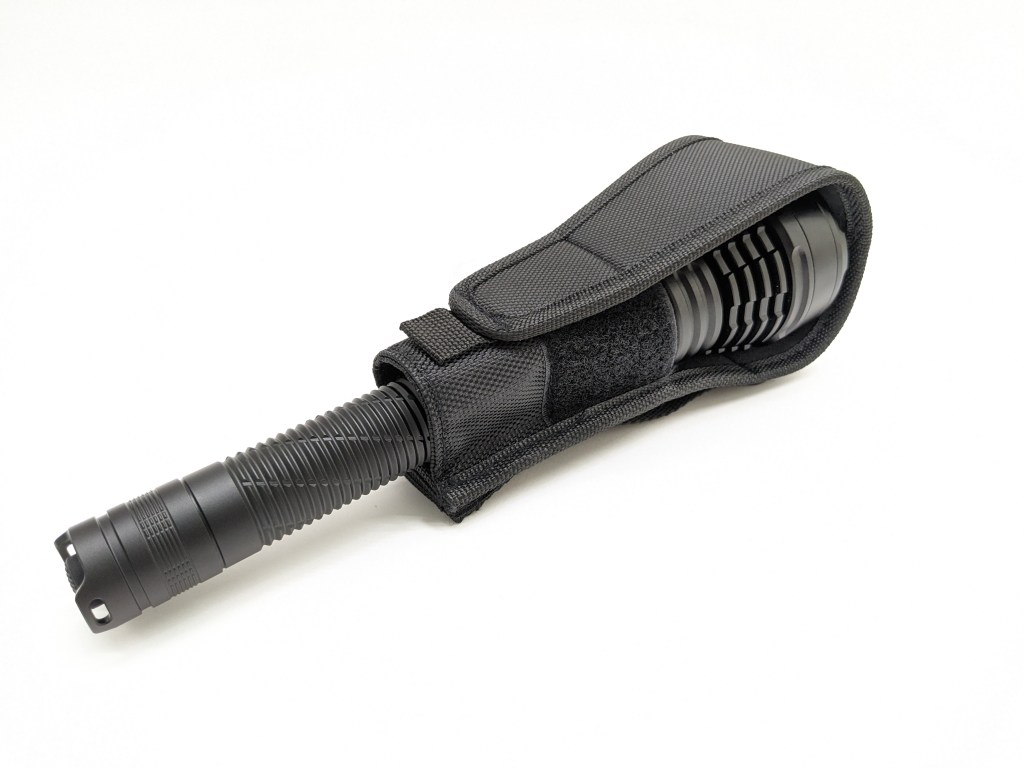
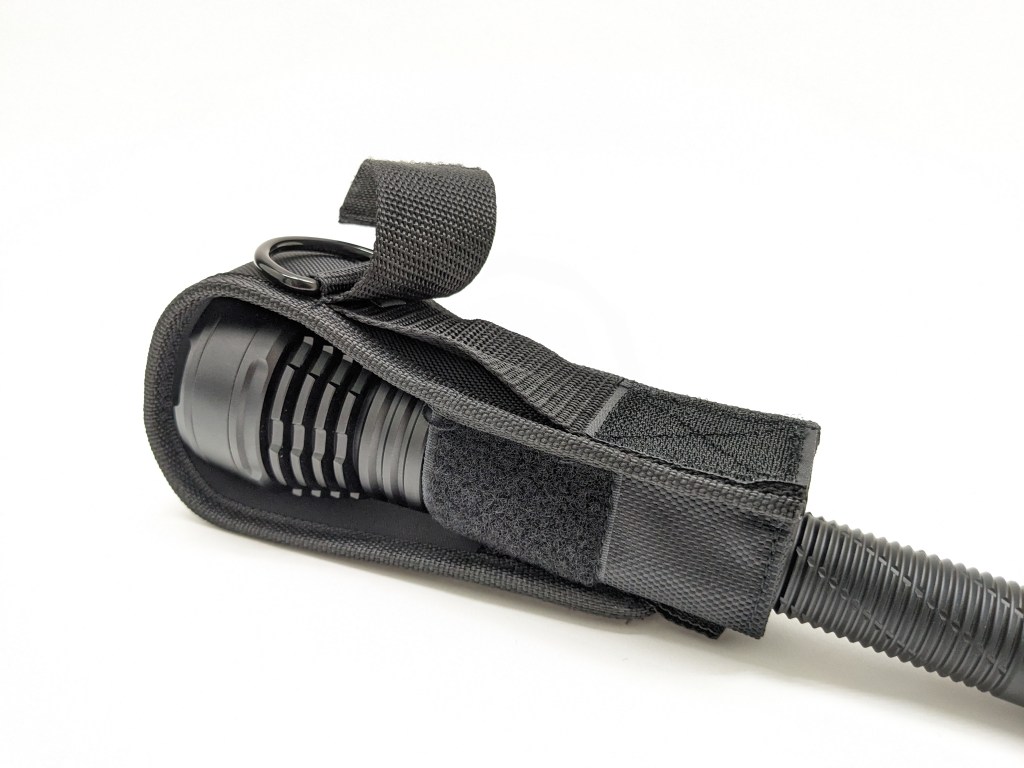
A holster is included. It’s very basic but does the job. There’s a wrist lanyard included too.
Batteries & Charging

The battery included is highly unusual. It’s a pack of two 21700 cells connected end-to-end in parallel, with a USB-C charging port on one end. Normally two cells end to end are in series, but Nitecore did some special internal wiring inside the battery pack to get the cells in parallel. That makes charging and battery management simple because the two cells will self-balance in parallel.
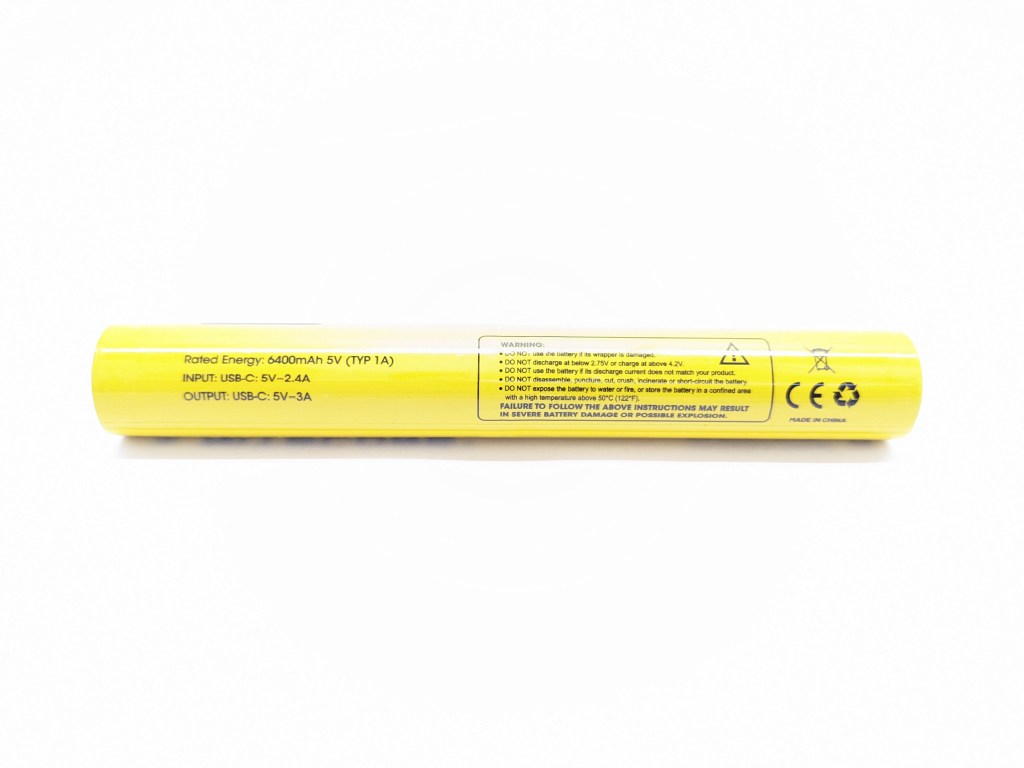


It’s also compatible with two button-top 21700 cells in series, but I didn’t have any that would work. Mine are all flat tops, and even with two Convoy spacers they are still too short to make contact. I did get the Acebeam P20 battery to work with a Convoy spacer at the front, but the light would only turn on when I held the switch down. To use two standard 21700s they need to be long, protected, button tops. The quoted performance numbers on two 21700 cells are lower than with the included battery pack.
Charging is facilitated by a USB-C port on the positive end of the battery pack. There’s no charging built into the light itself. Charging takes about 3 hours and 20 minutes, pretty quick for two cells. That’s almost twice as fast as Acebeam’s similar P20 battery pack. The battery pack can also be used as a powerbank, which is handy!
Competition
Here are some lights in the same class and how they compare.
Acebeam P20: the elephant in the room
- same size & layout
- released at the exact same time
- similar battery (two 21700s under one wrap with USB-C charging)
- a bit more expensive
- more brightness and throw
- single SBT90.2 LED
- better buck driver
- better independent dual-switch UI
- battery indicator
- super aggressive styling
- no remote control
- also accepts standard batteries, but then the tailswitch doesn’t work
Convoy L7: budget alternative
- about half the price (without batteries)
- more brightness and throw
- batteries optionally included
- no charging solution included
- similar UI
- a bit larger and heavier
- uses two 26650/26800 batteries
Sofirn SP60: budget single-switch alternative
- less than half the price
- more lumens, less throw
- accepts standard batteries without compromise
- USB-C charging built into the light
- side switch only with battery indicator
- somewhat cumbersome auto-lockout function
This section is not comprehensive. If I didn’t include a particular light here, it doesn’t mean it’s bad or doesn’t deserve to be here. I simply cannot list every possible competitor.
Conclusion
The things that set this light apart from the competition are the UHI-40 MAX emitter and the wireless remote. If you love those features, this is the only light on the market with both and it would be a good buy.
However, for most users (including me me) I think the UHI-40 MAX is under-utilized and I don’t need a remote. The competition is really strong and I think one of the competing options would be a better buy for most people.
Thanks to Nitecore for sending me this light for review!

 Grizzly's Reviews
Measurements seem mostly wrong. 90g weight? 31mm max head diameter?
LikeLike
Good catch. I missed those errors and will remove those values from the review. Unfortunately I don’t have the light anymore to re-measure.
LikeLike