- Pricing & Availability
- What comes in the box?
- Design & Construction
- Size & Measurements
- User Interface
- Emitter & Beam
- Mode Chart
- Runtime
- Driver & Regulation
- Batteries & Charging
- Switch
- Carry & Ergonomics
- Competition
- Conclusion
Pricing & Availability
Olight sent me this light in exchange for an honest review. Here is the official product page where you can see current pricing. At the time of writing, it’s $210 USD.
What comes in the box?
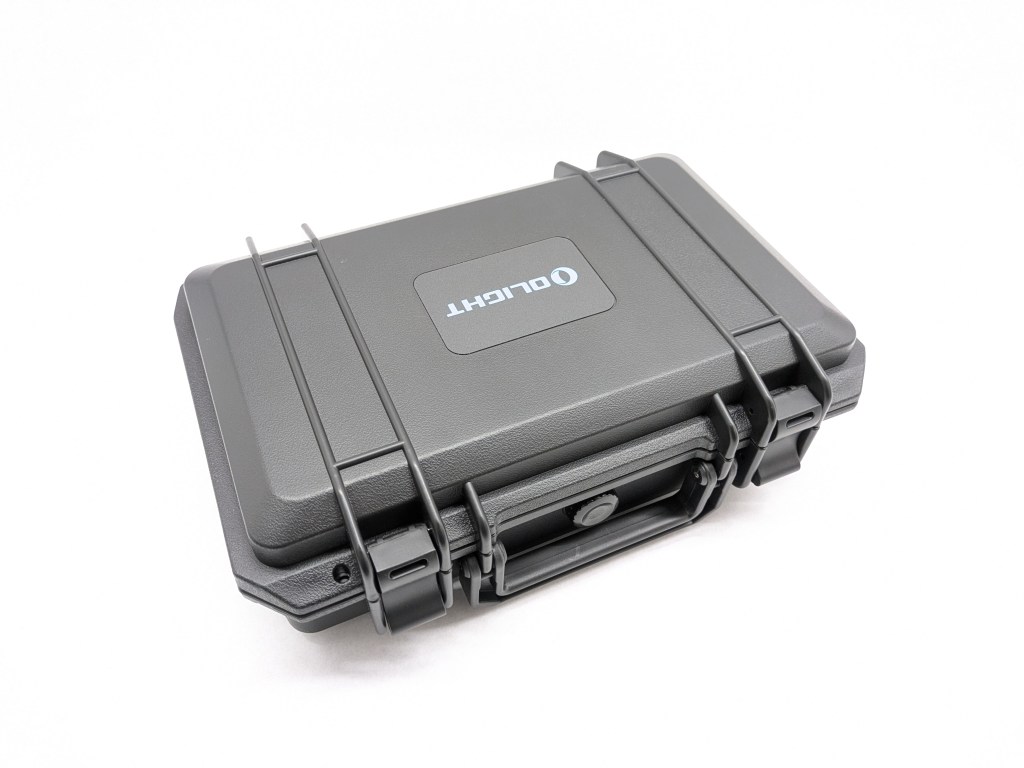
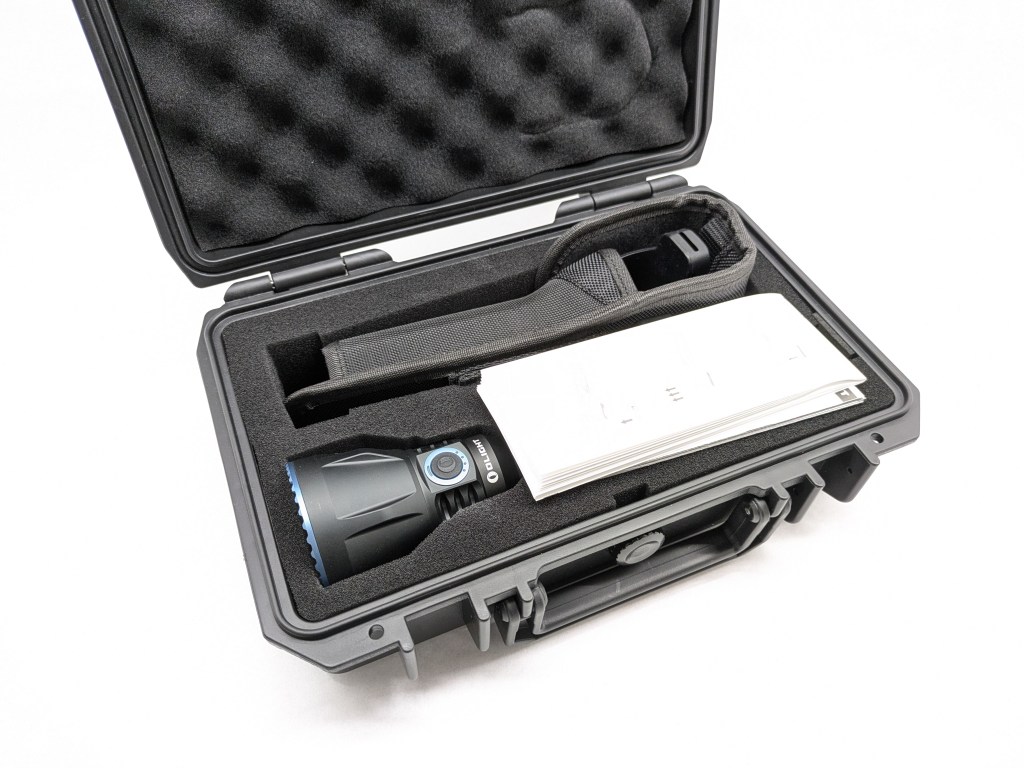
The box is nice. It’s a nice hard plastic case like a Pelican case, with a plain cardboard box around it for transport. Inside the case is a custom cut foam insert to hold the contents securely. Inside is:
- The light itself
- Battery (inside the light)
- User manual & safety warnings
- USB A-to-C charging cable
- Remote control
- Wrist lanyard for remote
- Wrist band for remote (like a watch)
- Belt holster
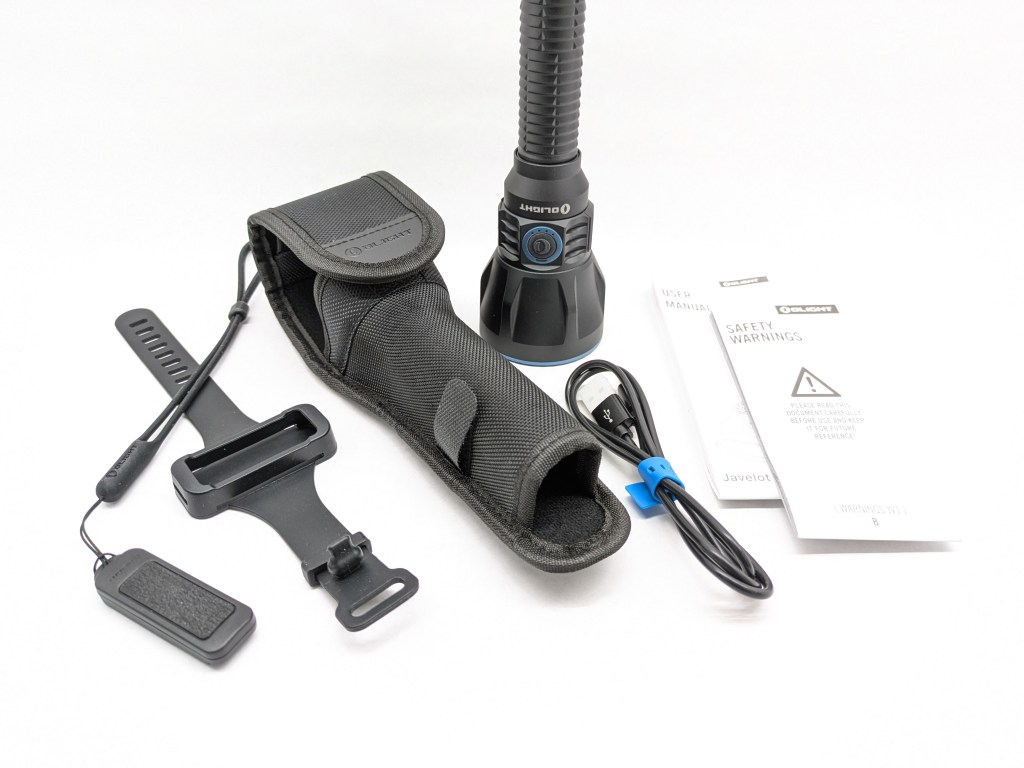
Note: There’s another version not shown here, that comes with all this same stuff minus the holster plus a firearm mount and two colored filters.
Design & Construction
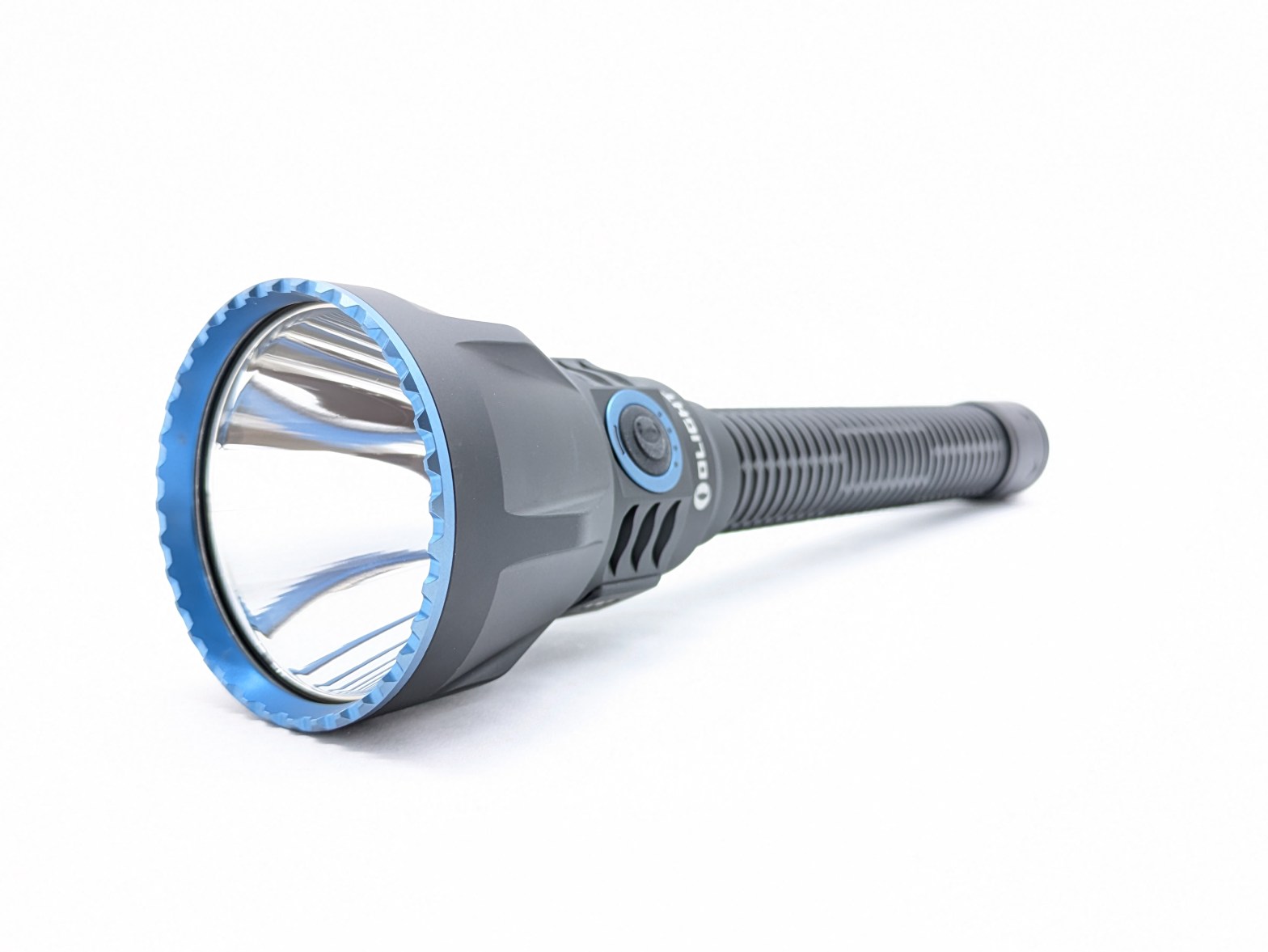
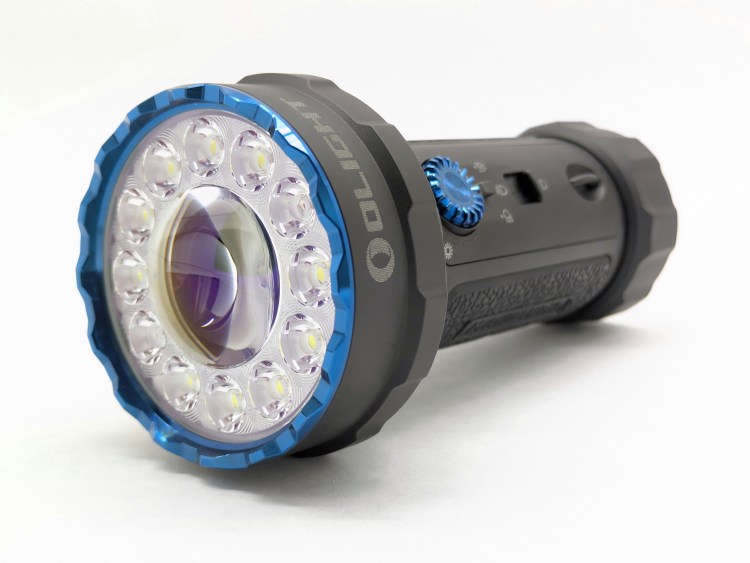
The design is great. It gives 2D Maglite vibes without being quite so bulky and heavy. I don’t particularly care for the blue accents but that’s Olight’s thing. Overall I think it looks great.
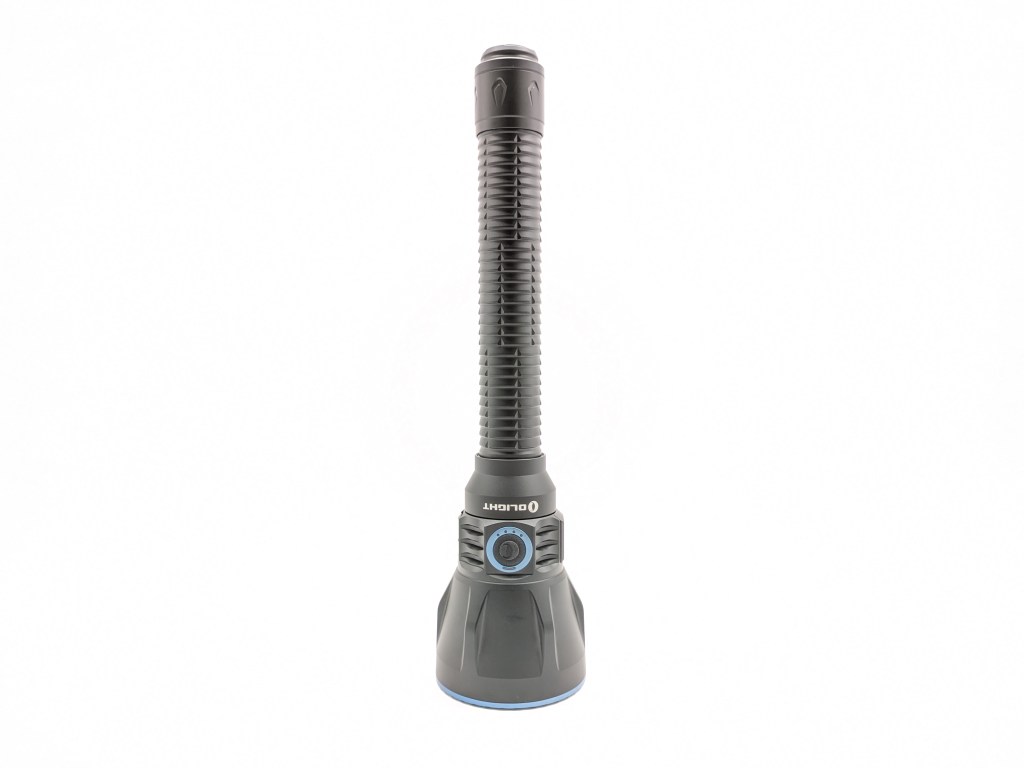
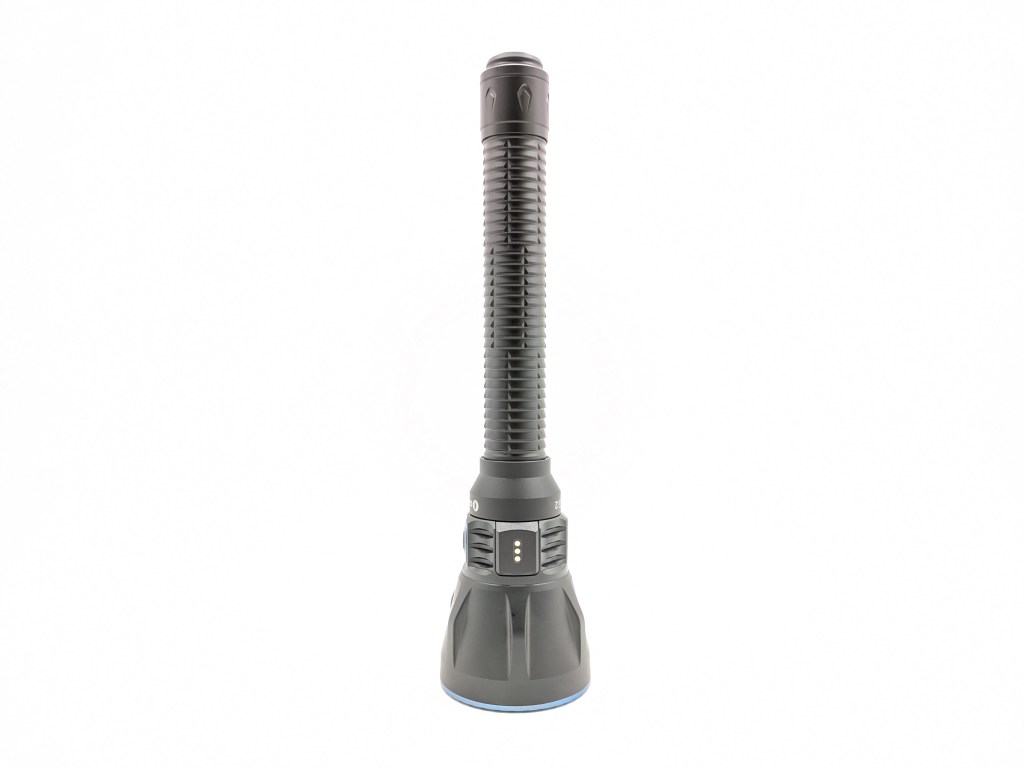


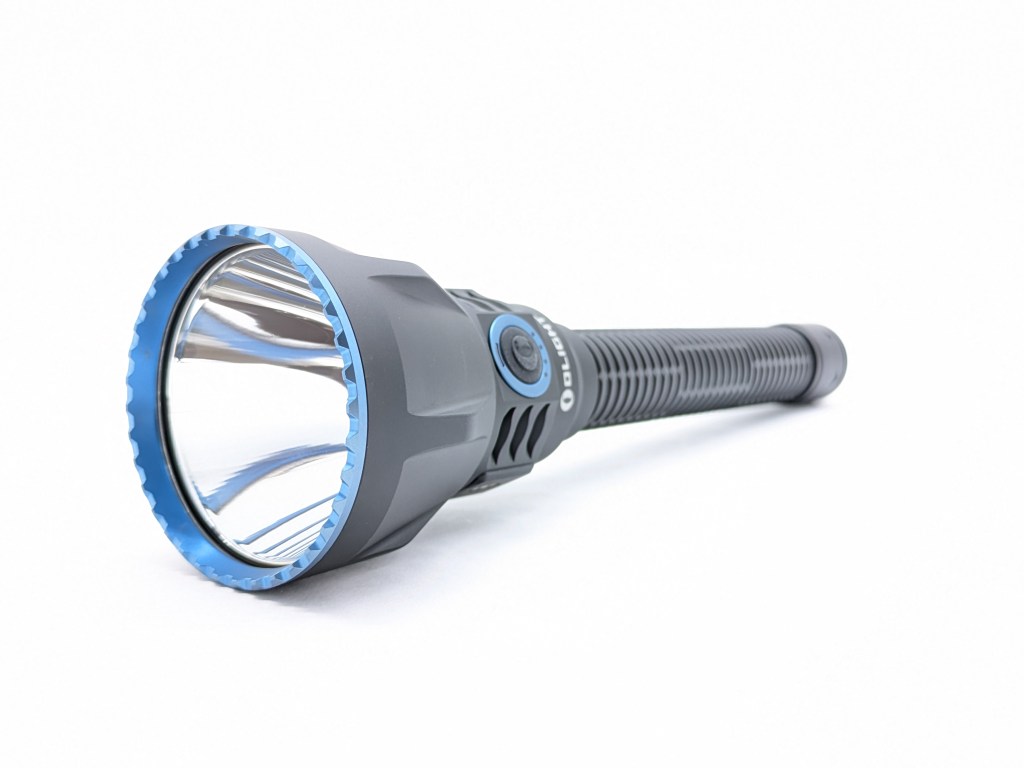
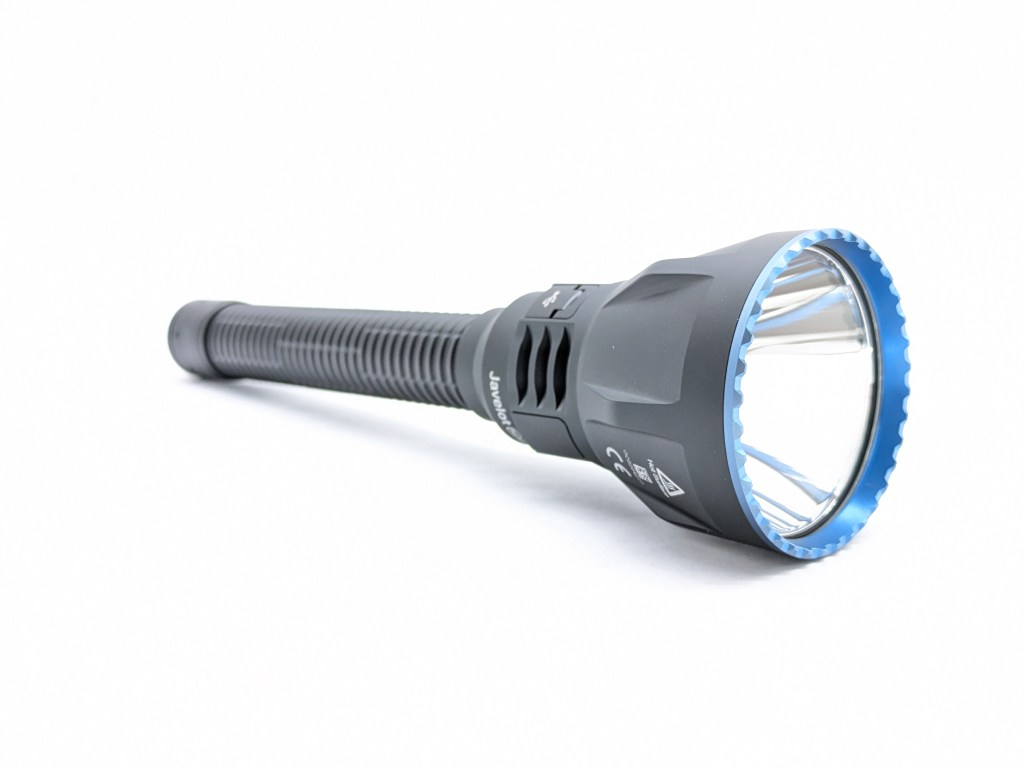
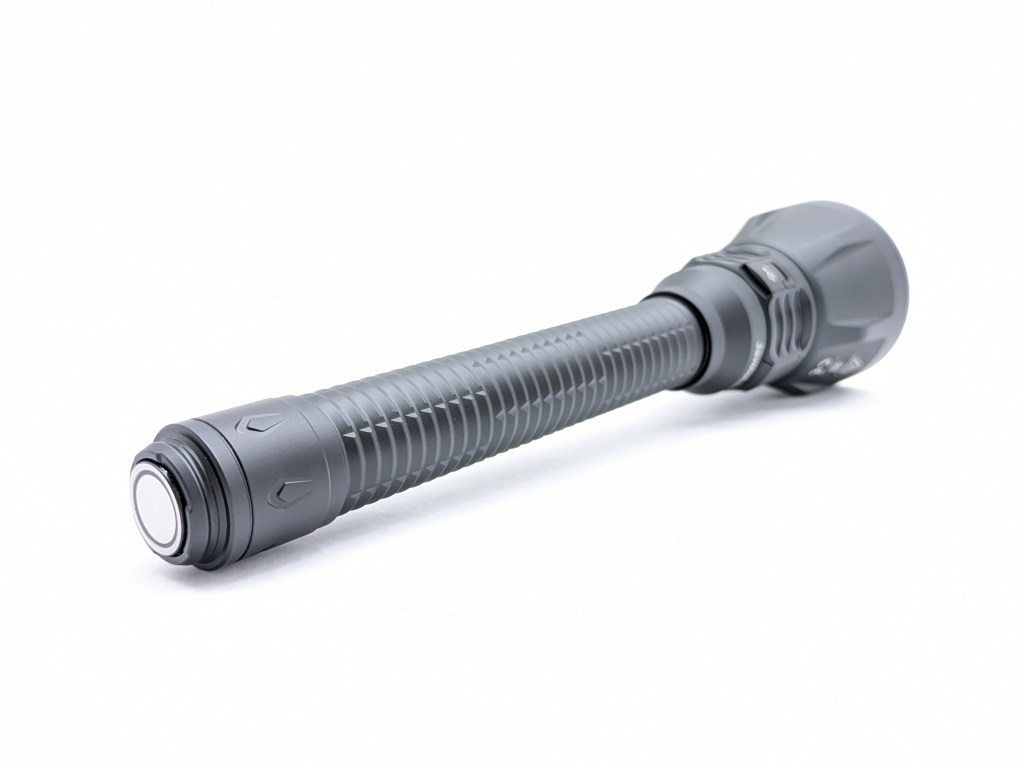
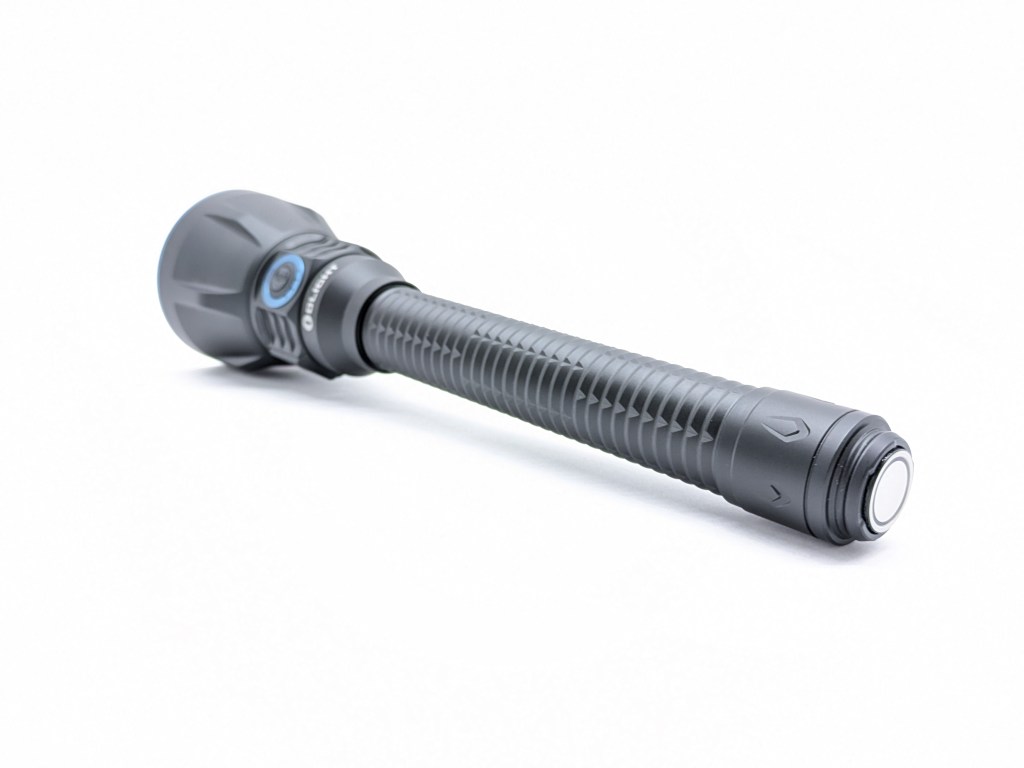
Build quality is top notch. The machining, finish, and fit are all excellent. It has a feeling of density and quality that budget brands struggle to produce.
Size & Measurements
Mini Maglite | Maglite 2D | Olight Javelot Turbo 2 | Convoy 3X21D

| Measurement | Measured (mm) |
|---|---|
| Bezel Diameter | 63 |
| Length | 256 |
| Side Switch Diameter | 12.7 |
| Tail Switch Diameter | 17.7 |
| LED Footprint | 5050 |
| Body Tube Diameter | 26.1 |
| Tailcap Diameter | 28.2 |
| Tailcap Length | 33 |
| Included Battery Length | 156 |
| Weight with included battery (g) | 430 |
| Measurement | Measured (inches) |
|---|---|
| Exterior Width | 11 5/8 |
| Exterior Height | 3 5/8 |
| Exterior Depth | 8 1/4 |
| Interior Width | 10 1/2 |
| Interior Height | 2 5/8 |
| Interior Depth | 6 1/4 |
| Weight (with light & accessories inside) | 3lbs 1.2oz |
User Interface
I assumed this light would work like the smaller Javelot, which has my favorite dual-switch UI. I’m confused and extremely disappointed to find Javelot Turbo 2 works very differently.
How it works: side switch
- Hold for on/off (mode memory)
- Click to cycle brightness (Low-Med-High-Turbo)
How it works: tail switch
- Half-press for Low mode
- Full press for Turbo mode
- Short press for constant on, short press again to turn off
- Long press for momentary on and it will turn off when you release
Basic E-switch (side switch) UI Checklist: 3.5/10
- 1C on/off❌
- 1H is on/off
- 1H to change brightness❌
- 1C from on cycles the brightness
- Stepped levels✅
- Main rotation is Low-Med-High❌
- Turbo is in the main rotation
- Lowest mode shortcut: 1H from off✅/❌
- There is no lowest mode shortcut in the side switch UI. However, a half-press of the tailswitch is a shortcut to the lowest mode. Half point.
- Shortcut up from lowest: 1H✅/❌
- You can half-press the tailswitch to jump to the lowest mode and then click the side switch to go up from there. It’s not the 1H side switch action I want, but it does work. Half point.
- Turbo shortcut: 2C from anywhere✅/❌
- There is no turbo shortcut from the side switch. Full pressing the tailswitch is a shortcut to Turbo though. Half point.
- Mode memory for Low, Medium, and High✅
- No mode memory for Turbo❌
- Turbo is memorized if accessed via the side switch.
- 4C to lock/unlock❌
- There is no electronic or mechanical lockout. The only way to lock it out is to remove the battery entirely.
Notes:
- How it should work: Like every other normal e-switch UI! Click for on/off. Hold from on to cycle the brightness. Double click for Turbo. Hold from off for the lowest mode. This is basic good flashlight UI design.
- Why? Olight knows how to make a good e-switch UI. I don’t know why they decided to use a bad UI on the side switch. I asked why but they just told me they wanted to keep it the same as previous large Javelot models, which have this same bad side switch UI.
- The tail UI is fantastic. I wouldn’t change a thing and it almost makes up for the bad side switch UI… almost.
Emitter & Beam
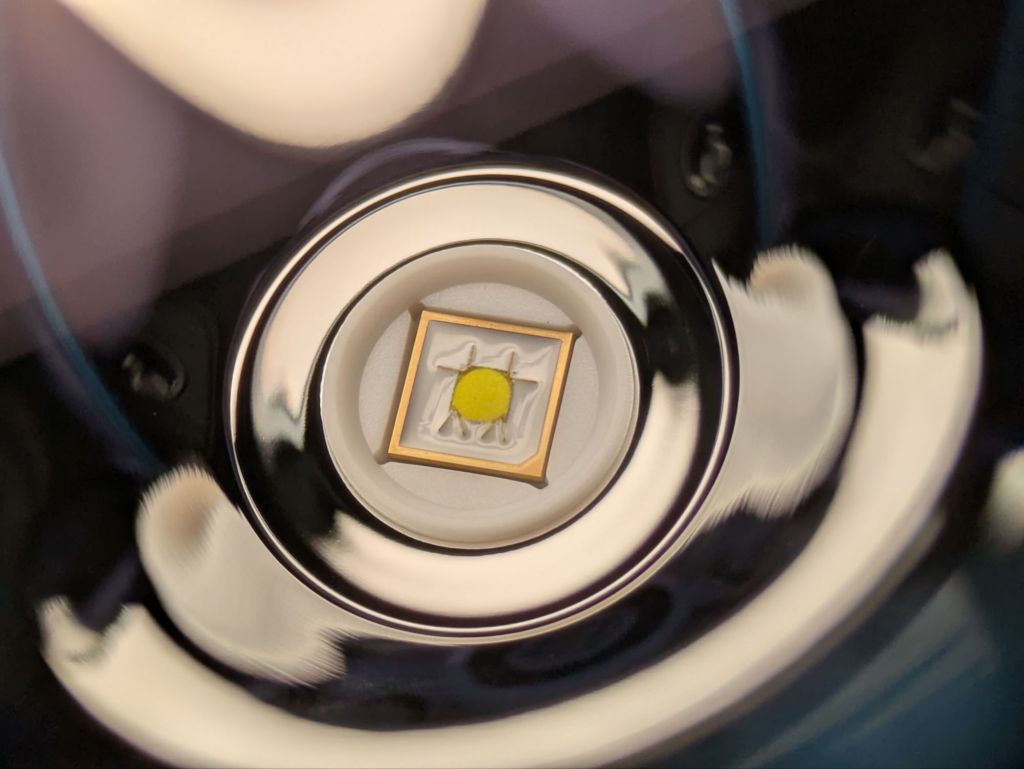
The LED isn’t specified and I don’t recognize the model. It’s a 5050 round die in neutral white with standard CRI and slightly green-ish tint. It looks similar to the NiteLab UHi-40 in my Nitecore MT2C Pro, but this Olight LED has more bond wires. I tried removing the bezel but was unsuccessful. I imagine you’d need a set of strap wrenches to do an emitter swap.
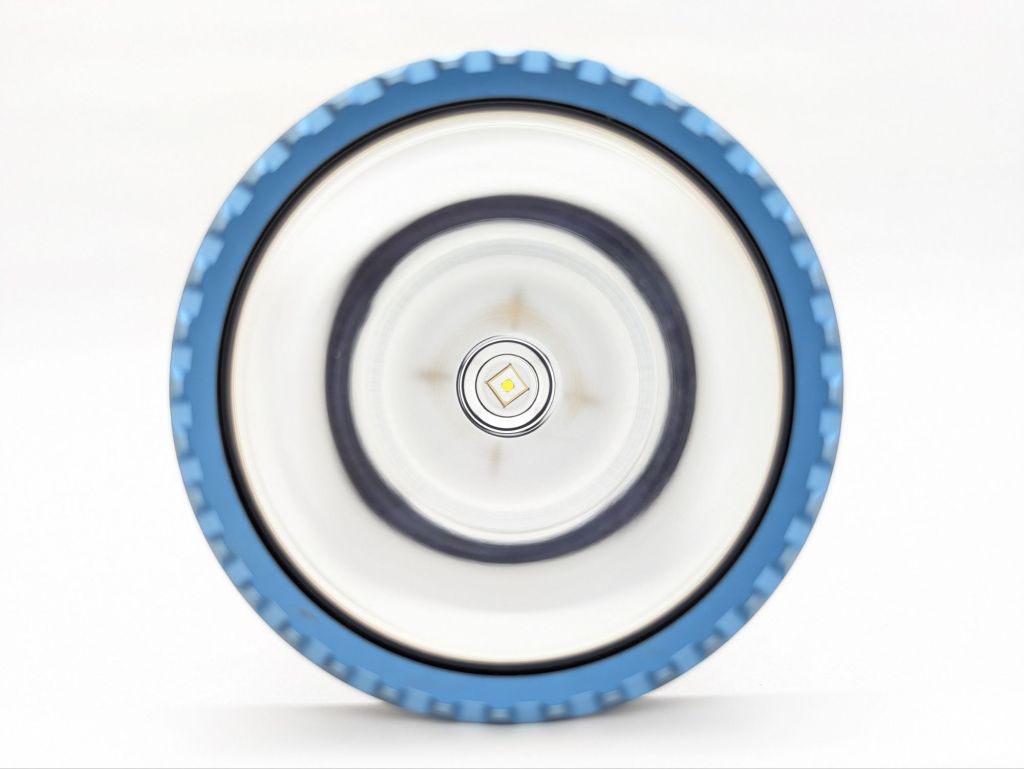
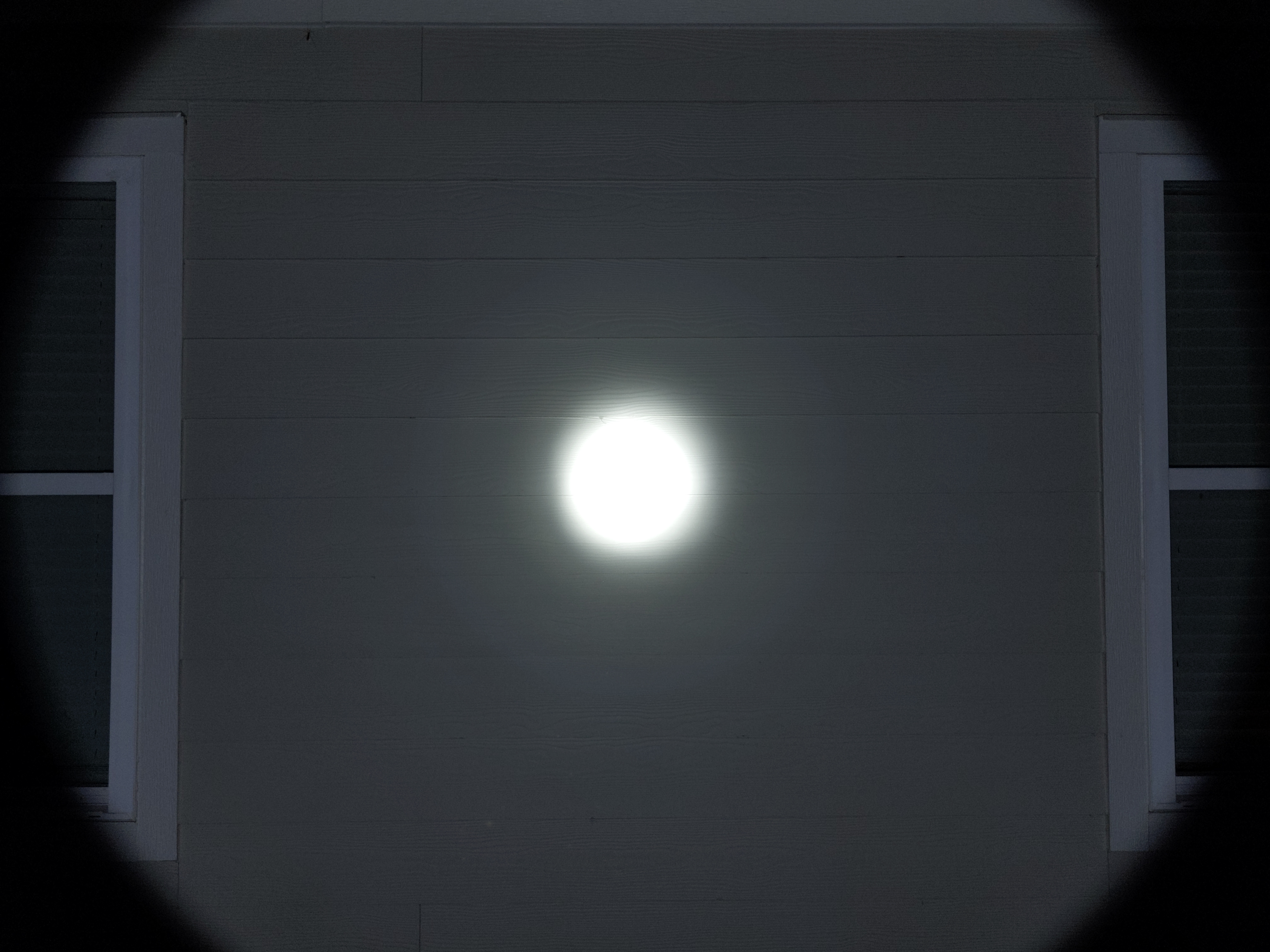
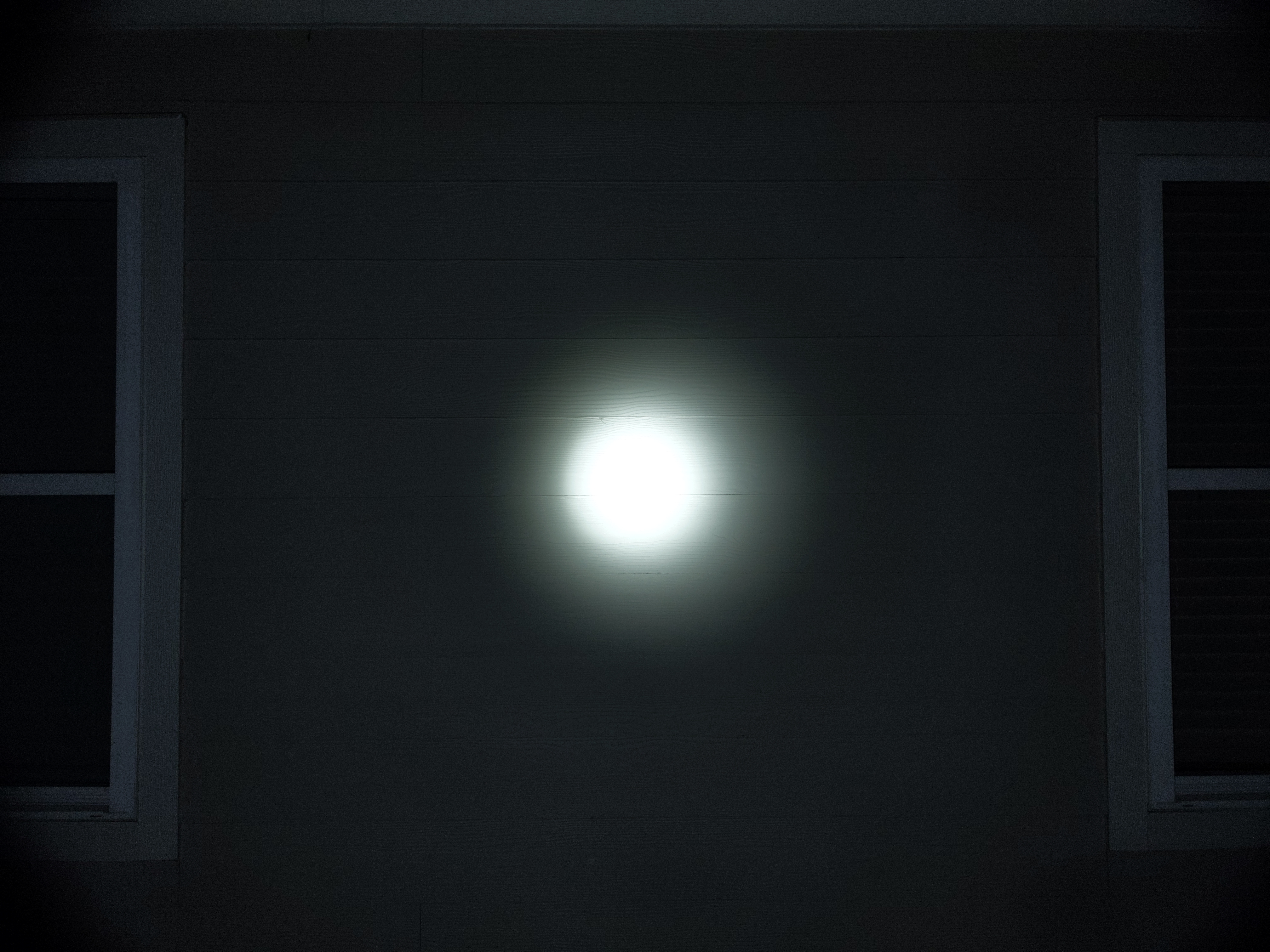
The beam is narrow. The narrowest beam I’ve seen I started standardizing my beam shots last year. The centering isn’t as good as I would expect at this price, but that’s all I can find to complain about. It’s got enough spill to see your surroundings but it won’t overpower the hotspot, even when shone far far away.
In the beamshots below, camera settings are fixed and the wall is 2.8M away.
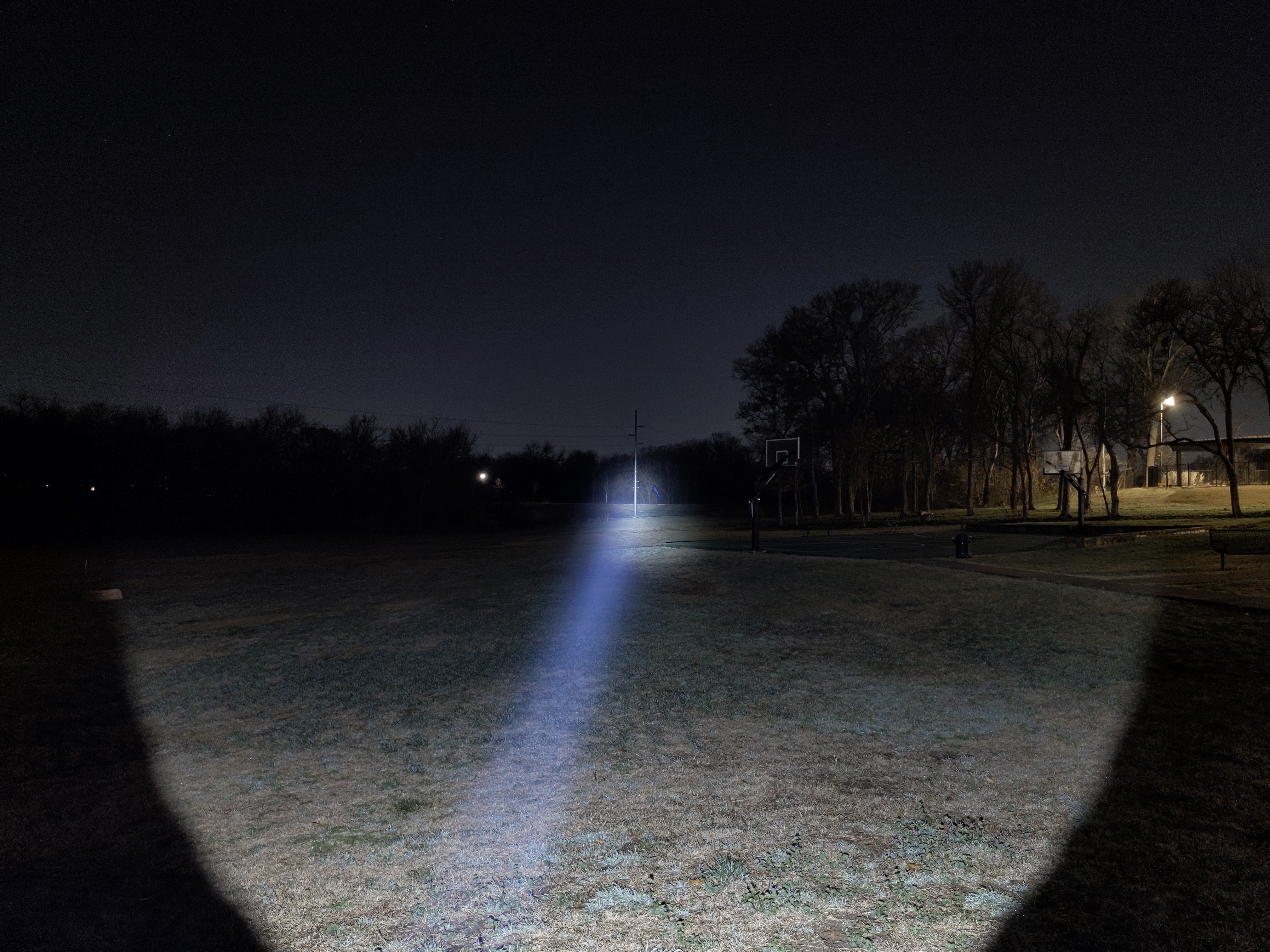

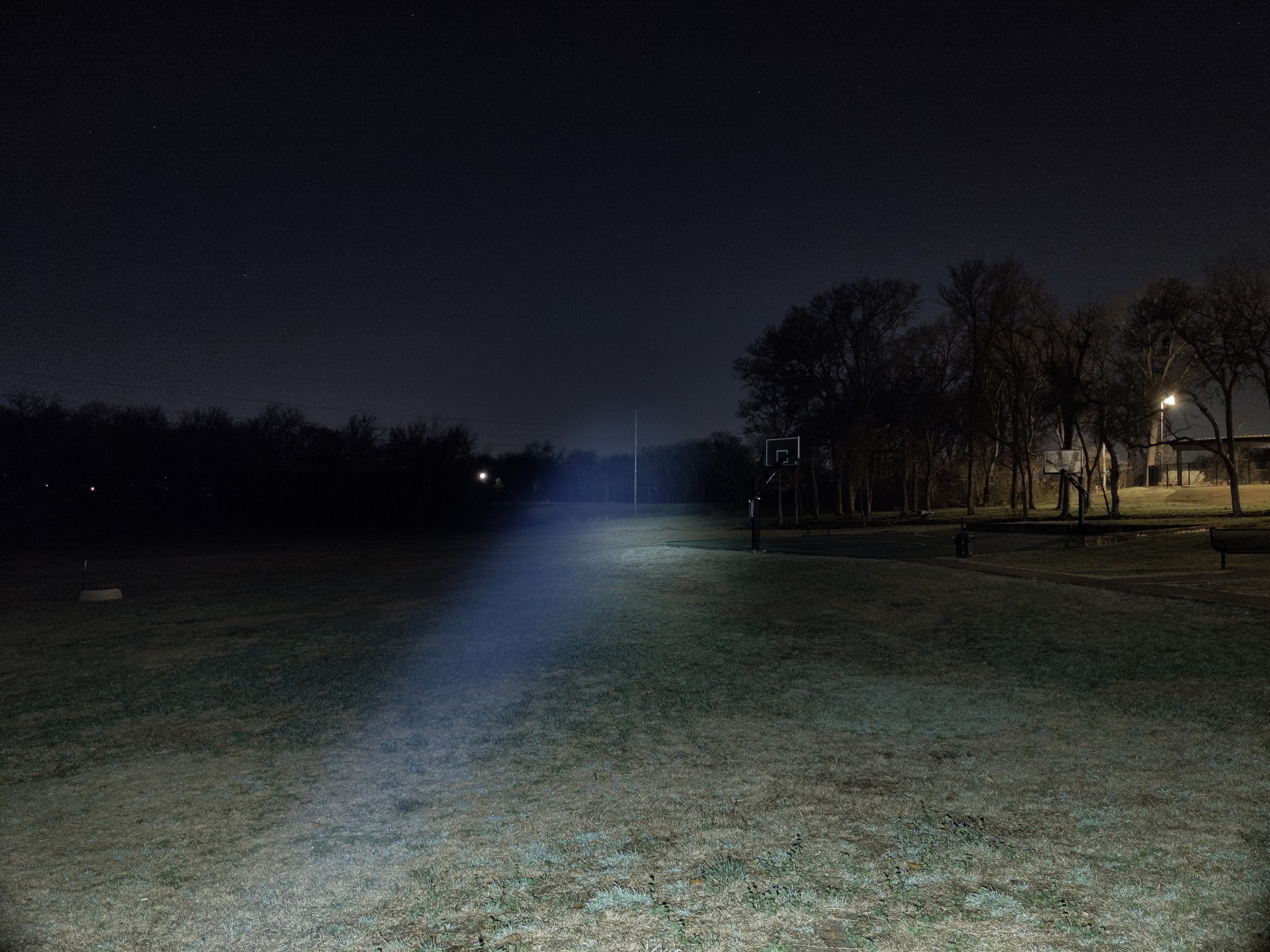
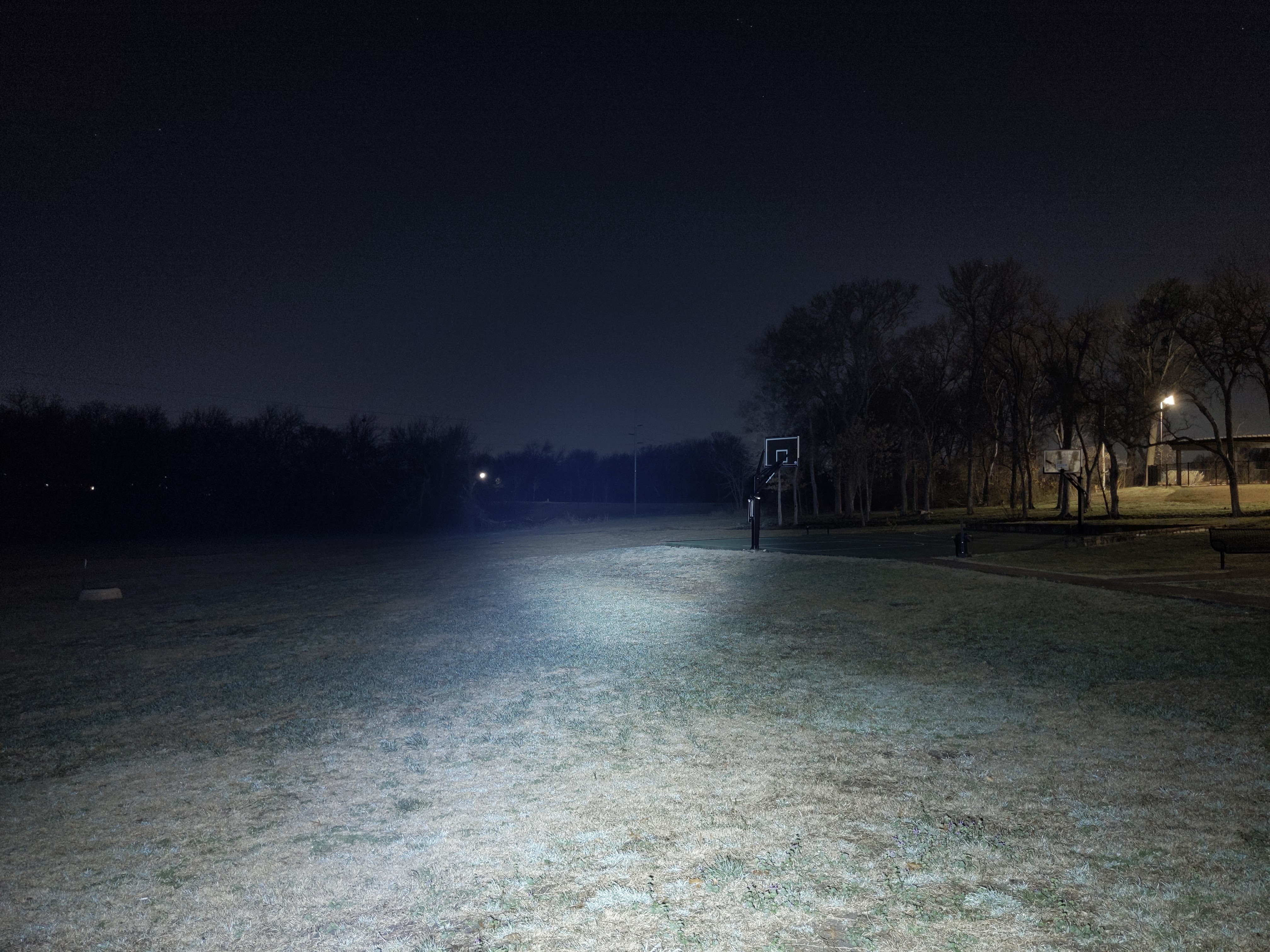
In the beamshots below, camera settings are fixed, the basketball goal to the right of the hotspot is 39M away, and the power pole in the center is 185M away.


Mode Chart
Disclaimer: All of my measurements are taken at turn-on. Lumen measurements are estimated based on relative output compared to the advertised 1800lm Turbo. My typical lumen tube setup is not accurate enough to test a super intense light like this. A candela measurement was taken at 10 meters with an Opple Light Master III on the highest brightness, and other candela figures were calculated relative to that. CRI, CCT, & DUV data were taken for each mode from a few feet away at the center of the hotspot with the Opple Light Master and Waveform DUV Calculator. Runtime tests were performed with the Ceilingbounce app on my smartphone. These tests were performed with a fully charged included battery unless otherwise specified. I cannot measure moonlight directly, so moonlight readings are calculated based on the brightness relative to the next-lowest mode. None of this is professional equipment, so take these measurements with a grain of salt.

The official specs are above, followed by my own measurements below.
| Level | Lumens (estimated) | Candela | Throw (Meters) | CRI (Ra) | Color Temp. (K) | DUV (Tint) |
| Turbo | 1800 | 550000 | 1480 | 69 | 5828 | 0.0018 |
| High | 590 | 18000 | 850 | 66 | 5402 | 0.0054 |
| Medium | 150 | 46000 | 430 | 65 | 5230 | 0.0079 |
| Low | 12 | 3700 | 120 | 64 | 5170 | 0.0094 |
Runtime

Performance is good. It’s not as bright (lumens) as most other lights in this class, but it throws further and for a lot longer. Turbo time is great at 3 minutes uncooled or 6 minutes with cooling. North of 900lm appears to be thermally sustainable without cooling, but there’s a timed stepdown at 130 minutes. Runtime is excellent.
Thermal regulation: My Turbo Cooled test shows a significant increase in sustained brightness, meaning this light has active thermal regulation that will adjust brightness to give you maximum performance without overheating.
LVP (Low Voltage Protection) is not present. This light relies on the battery’s built-in protection circuit to shut off when it’s empty. That means it can’t be temporarily reactivated in an emergency after it’s shut off.
Driver & Regulation
The driver is likely a buck circuit, but I don’t know for sure.
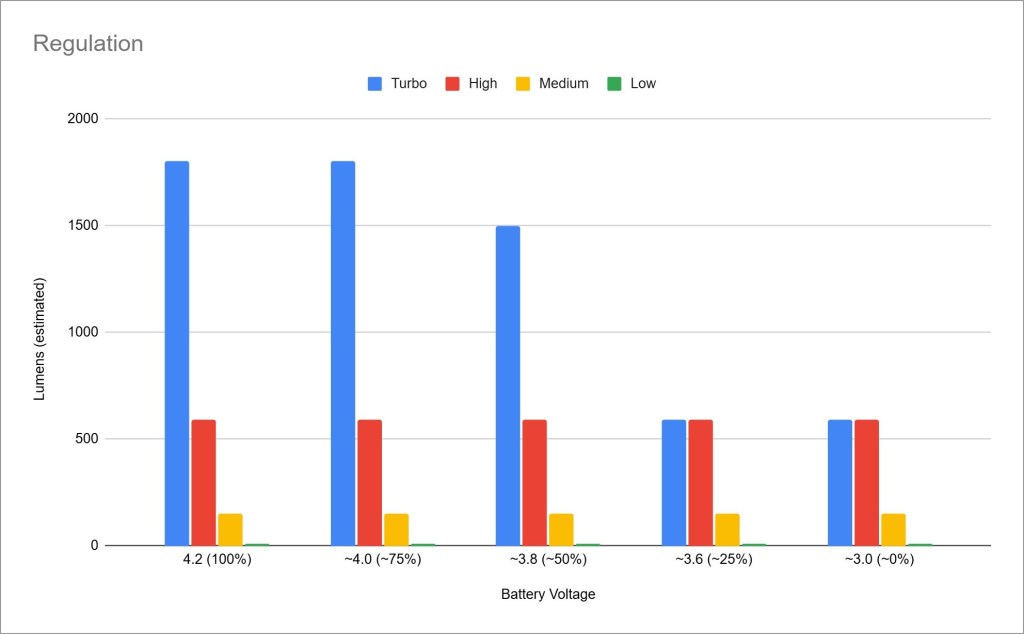
Regulation performance is quite poor and extremely disappointing. At this price point with this battery and LED I expect it to reach full Turbo brightness down to ~25% charge or below. For comparison, Acebeam P20 can do that despite pulling ~3x the current from a very similar battery.
PWM: No PWM is visible to my eyes or camera, nor audible to my ears. I measured with my Opple and found some kind of flickering on Low mode, but it was inconsistent, not like PWM. The other modes tested flicker-free.
Parasitic Drain: I can’t measure parasitic drain due to the proprietary battery design.
Batteries & Charging
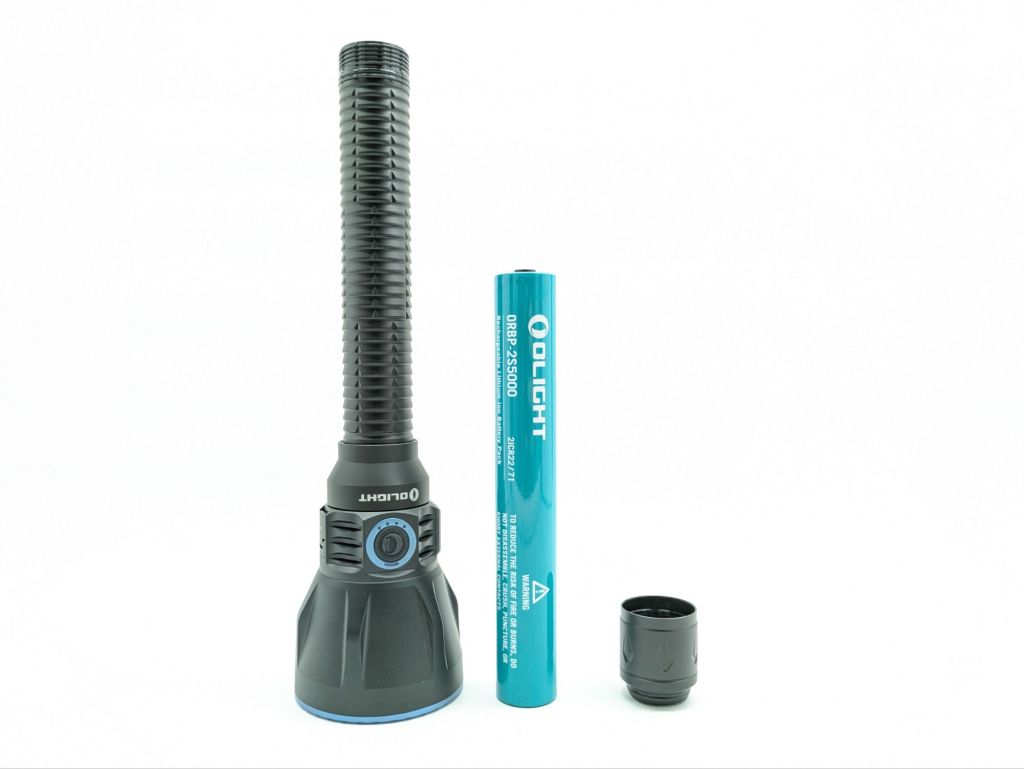
The battery included is a proprietary 2×21700 pack in series. It’s got the typical olight proprietary positive end on it. I assume there’s a BMS inside to make sure the cells don’t become imbalanced, but I don’t know for sure. This is better than the original Javelot Turbo’s proprietary body tube, but it’s not as good as accepting two Olight 21700 cells (or standard 21700 cells would be even better. When Olight stops selling this weird size proprietary battery in a few years, your light will be useless if the battery wears out. This model cannot accept any other battery.

Charging is facilitated by a USB-C port on the side of the head or the magnetic contacts on the tailcap for Olight’s MCC system. I’m delighted it has a USB-C port because I find that more convenient these days. The MCC port is picky and won’t work with an MCC 1A charger, only an MCC 1A/1.5A/2A charger. It works while plugged in, even with the battery disconnected (USB-C only) but only in low and medium modes. There is no powerbank function, which is a shame for such an expensive light with a larger battery. The USB-C port is covered by a spring loaded metal cover and the port itself is waterproofed (IP67). Charging takes ~4.5 hours via USB-C.
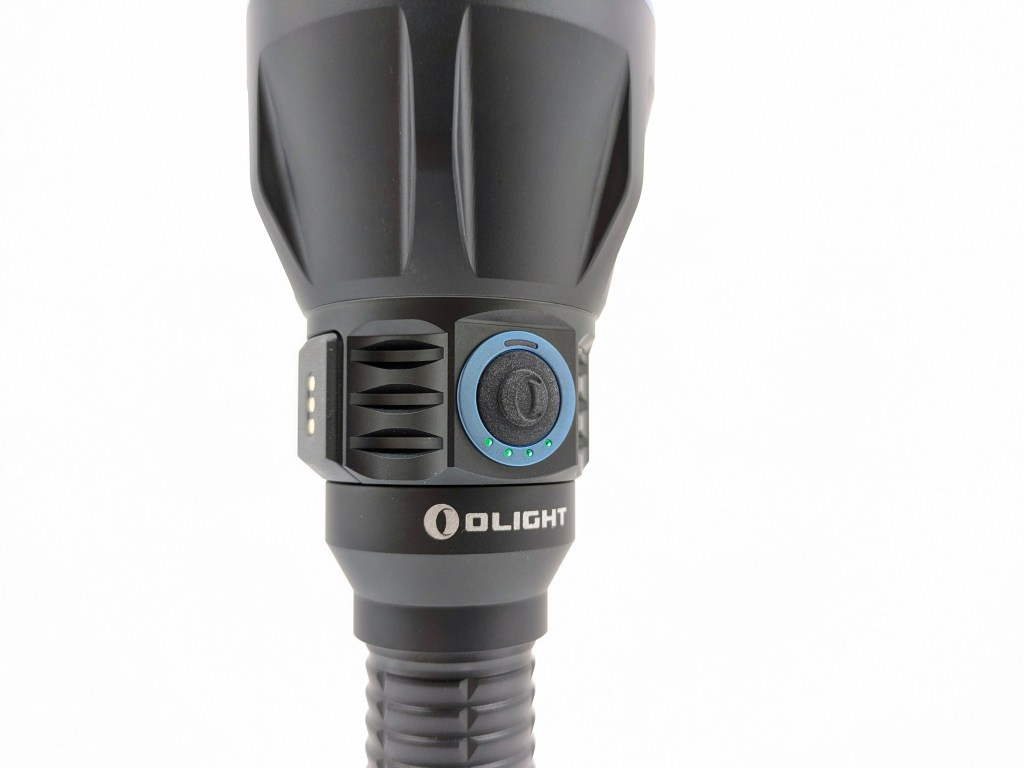
The battery indicator is fantastic. It’s a 4-LED indicator that shows capacity in 25% increments, plus the last LED will turn red under 10%. I love that it’s easy to understand and easy to read at a glance.
Switch
Javelot Turbo 2 has three switches: an electronic side switch, a two-stage electronic tailswitch, and a wireless remote switch.
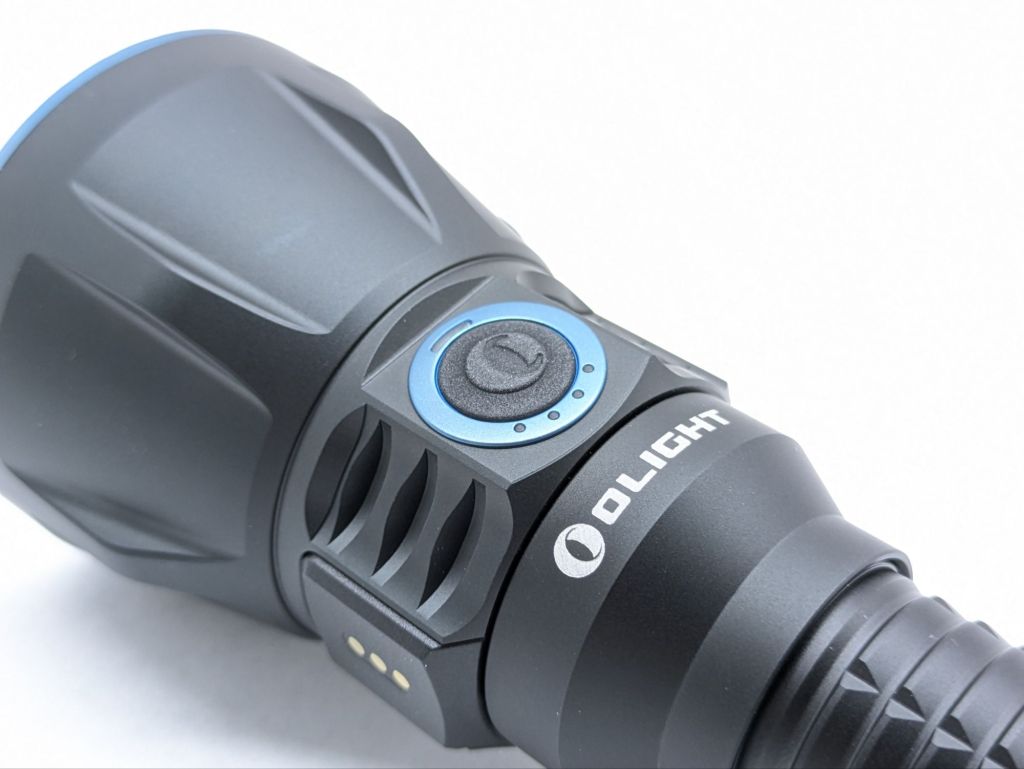
The side switch is an electronic momentary switch covered by a silicone boot. It’s got a nice tactile and audible action but it can be tricky to find in the dark.
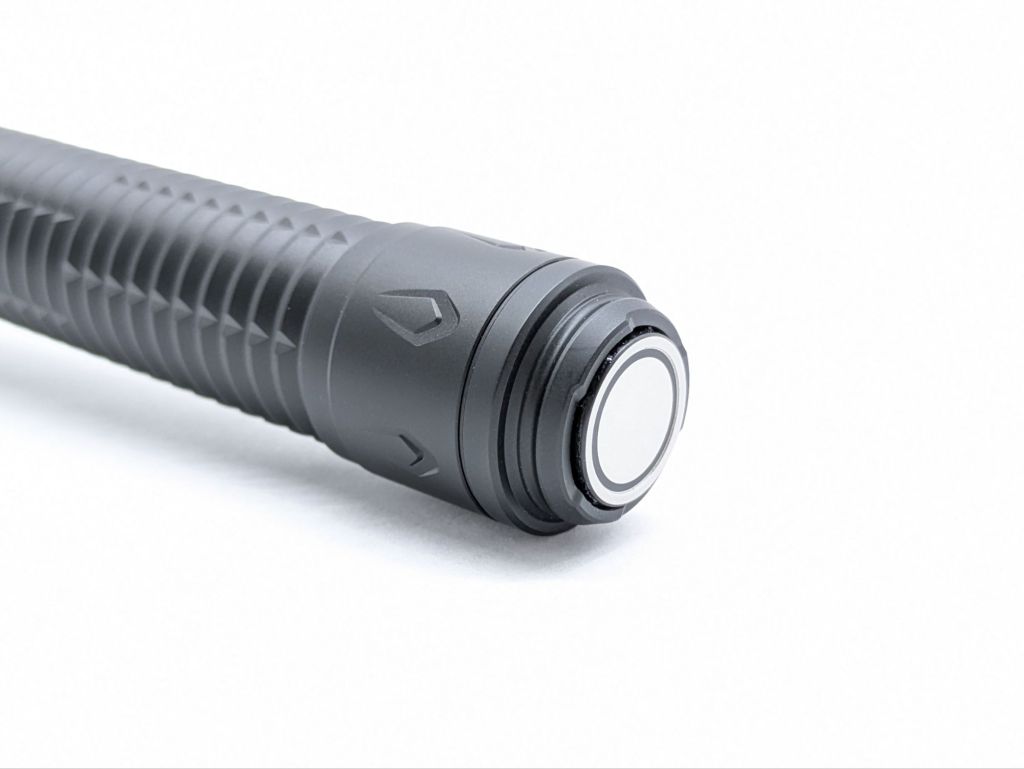
I love the tailswitch. It’s the same two-stage one they’ve been using on their Warrior and Javelot series’ for awhile now. A half-press activates low mode and a full press activates turbo. A quick press and release is constant on. A long hold is momentary on, and it will turn off when released. This setup gives you instant access to low or turbo, constant or momentary. It’s awesome. Since it’s flat, the light can tailstand. It’s very top heavy though, so the surface must be perfectly level and stable.
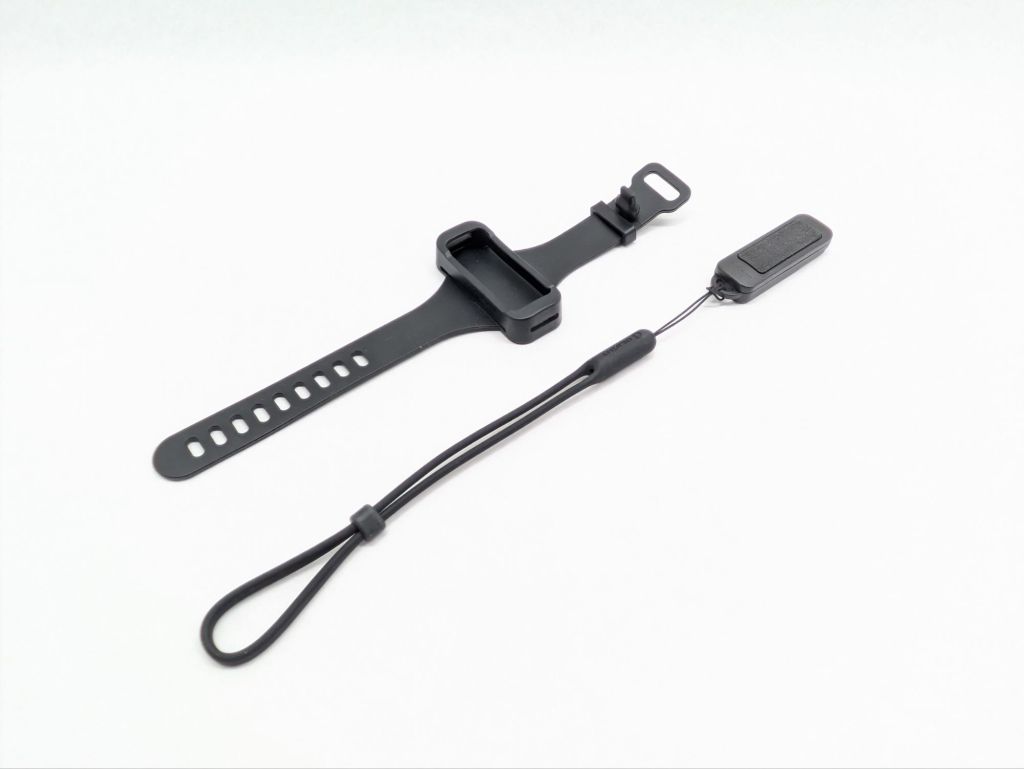
The wireless remote switch is pretty cool but also a bit gimmicky. I can see it being handy for hunters that mount this light to a rifle, so they can place the remote switch anywhere they please. That’s the only use case I can think of that needs a remote though. To charge it, just snap it onto the side of the light magnetically and it will charge up from the flashlight’s battery. The remote comes with a traditional wrist lanyard to keep it from getting lost, and it also comes with a watch-style wristband.
Carry & Ergonomics
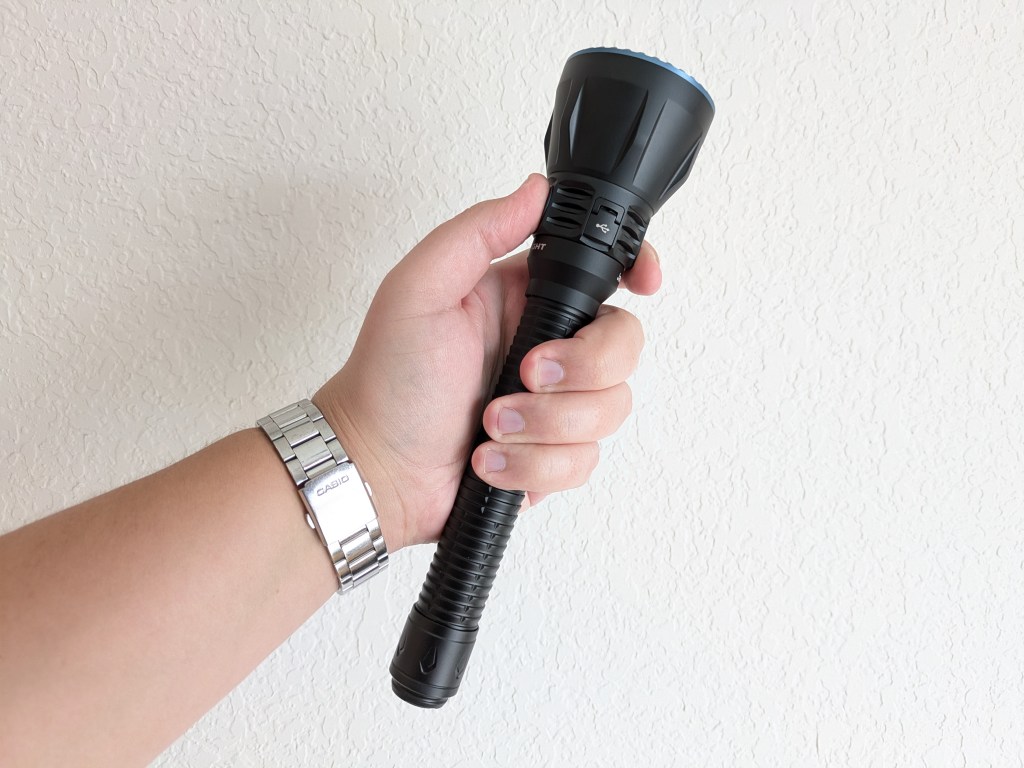
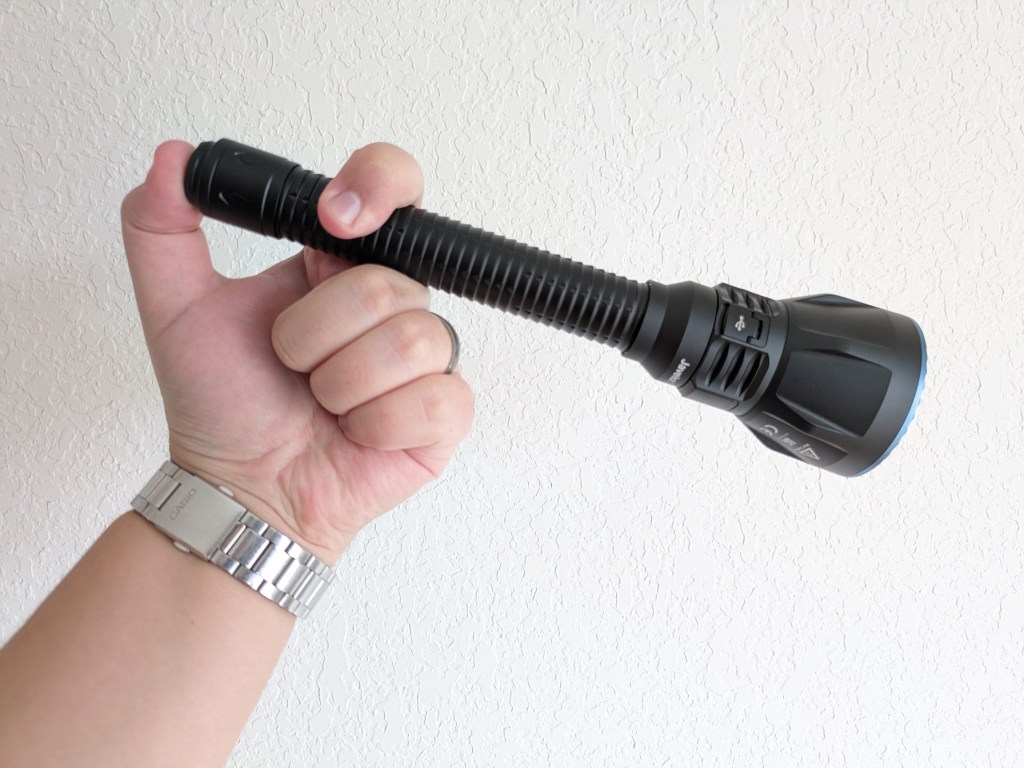
Ergonomics are great. It’s comfortable to hold in a forward grip and even in a cigar grip, which surprised me. It feels balanced and wieldy. My only gripe is it’s difficult to find the side switch in the dark.

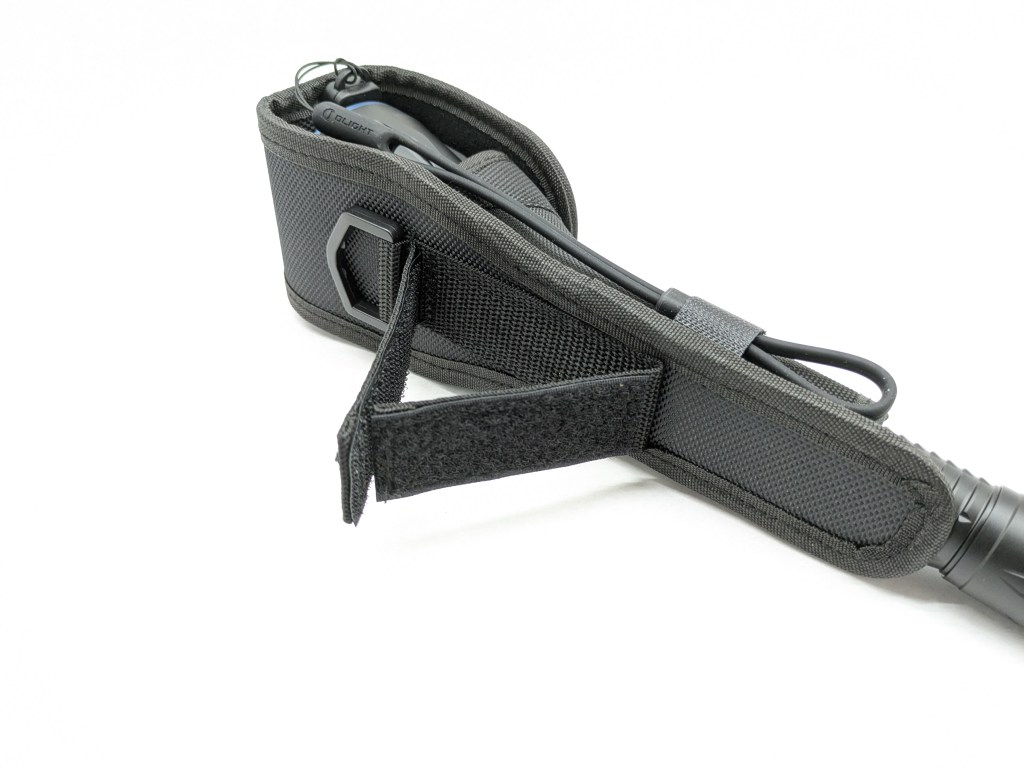
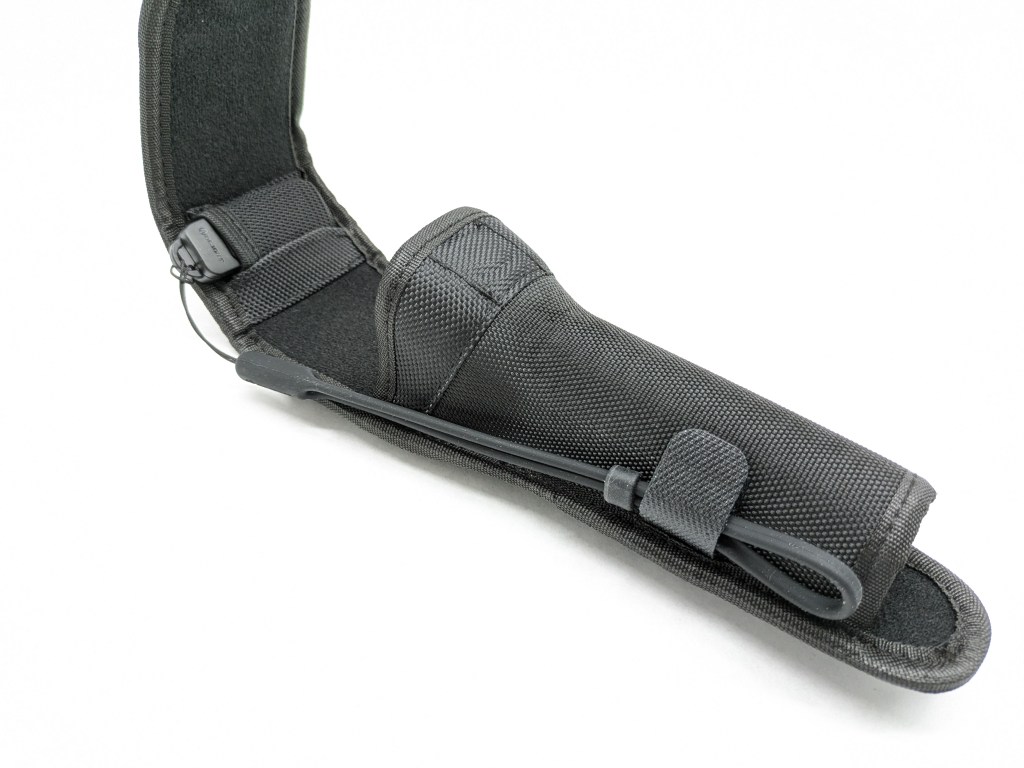
A belt holster is included in the box. It’s made of nylon and is fairly rigid. The closure is magnetic and the loop in back is Velcro. It also has a D-ring, a nice little pocket for the remote, and a Velcro tab to keep the remote’s lanyard from flopping around. The tailcap sticks through the bottom of the holster so it doesn’t function as a protective case.
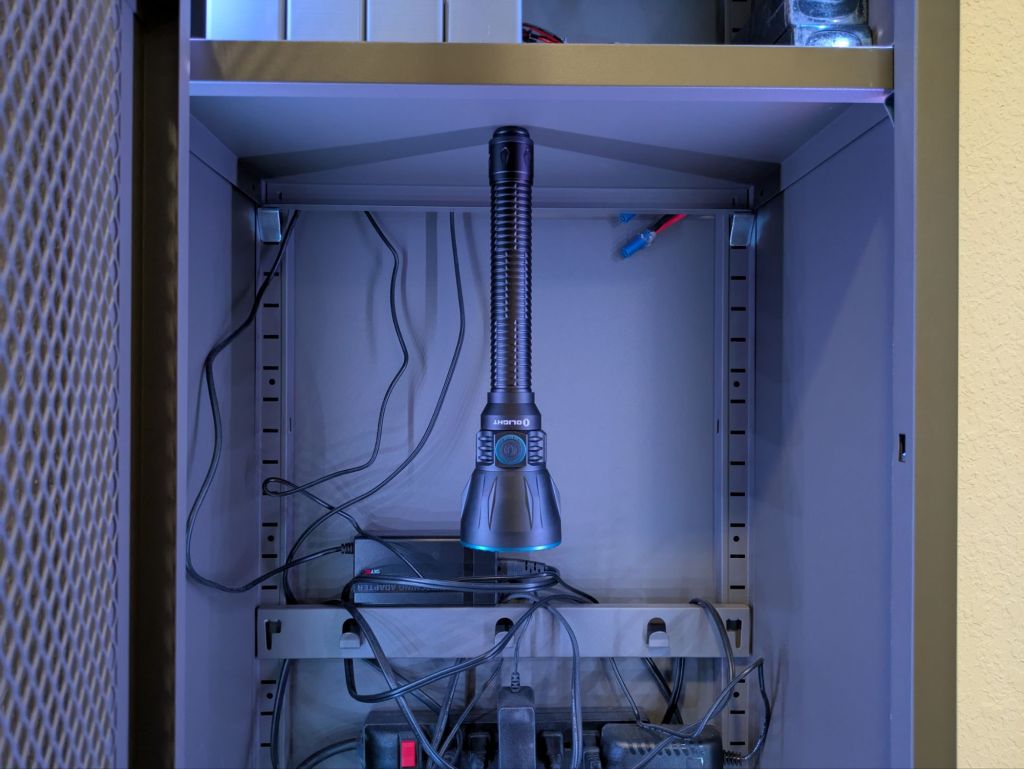
The magnet in the tail is designed to facilitate magnetic charging. It’s also just barely strong enough to hold the light up on a horizontal surface if needed. Be careful doing that though, because the slightest jostle will cause the light to fall.
Competition
Here are some lights in the same class and how they compare.
Acebeam P20: brighter, tactical alternative
- similar price, size, & shape
- much higher brightness, a bit less throw
- dramatically better regulation performance
- SBT90.2 LED
- aggressive styling
- turbo-only tailswitch and much better side switch UI
- worse battery indicator
- No case nor remote included
- USB-C charging built into the battery
- Can accept standard batteries but tailswitch doesn’t work
Convoy M21G: budget alternative
- 1/5 the price
- a few LED options
- more brightness, less throw
- no charging solution included
- takes two standard 21700 cells (optionally included)
- traditional dual-switch UI (tail on/off, side changes mode)
- probably thicker and heavier
- no case nor remote included
Nitecore MH40 Pro: another alternative
- less expensive
- much higher brightness, a bit less throw
- very cool multi-die UHi-40 MAX LED
- no case included
- remote control included
- traditional dual-switch UI (tail on/off, side changes mode)
- USB-C port built into the battery
- Can accept two standard 21700 cells (ostensibly)
This section is not comprehensive. If I didn’t include a particular light here, it doesn’t mean it’s bad or doesn’t deserve to be here. I simply cannot list every possible competitor.
Conclusion
The build quality, included accessories, beam shape, switches, charging, throw performance (with a full battery), runtime, battery indicator, and tail switch UI are fantastic. The proprietary battery is a shame. The side switch UI and regulation performance are terrible, and I think those are going to be big issues for people that really use this light. I wish they had focused on getting those fundamental things right instead of reinventing the remote switch. Hopefully Olight can fix those major issues in the next version.
Thanks to Olight for sending me this light for review!

 Grizzly's Reviews