- Pricing & Availability
- What comes in the box?
- Design & Construction
- Size & Measurements
- User Interface
- Emitter & Beam
- Mode Chart
- Runtime
- Driver
- Batteries & Charging
- Switch & Indicators
- Carry & Ergonomics
- Competition
- Conclusion
Pricing & Availability
Olight sent me this light in exchange for an honest review. Here is the official product page for the ArkPro line where you can see current pricing. That’s a tracked link so they know I sent you, but I’ve chosen not to earn any affiliate commission. At the time of writing, MSRP is $80USD for this Lite version.
I’ll mention here that the name scheme isn’t great. ArkPro Lite is ambiguous. Is it Pro or is it Lite? Olight is iterating on the Arkfeld series frequently enough to run out of reasonable names and I think they should switch to numbering. I hope they call the next generation “Arkfeld 3” instead of “ArkUltra” or “ArkMax”.
What comes in the box?
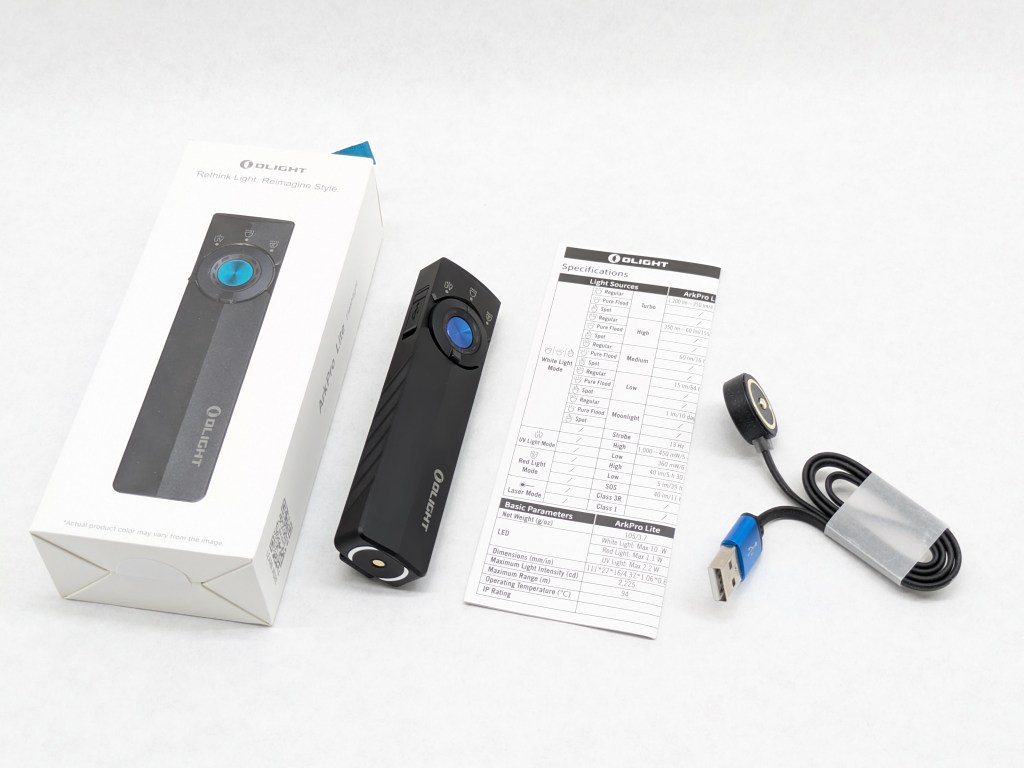
ArkPro Lite comes in Olight’s simpler cardstock box with a vacuum-formed insert to secure the contents. Inside is:
- The light itself
- User manual
- Magnetic charging cable (also supports USB-C)
Design & Construction
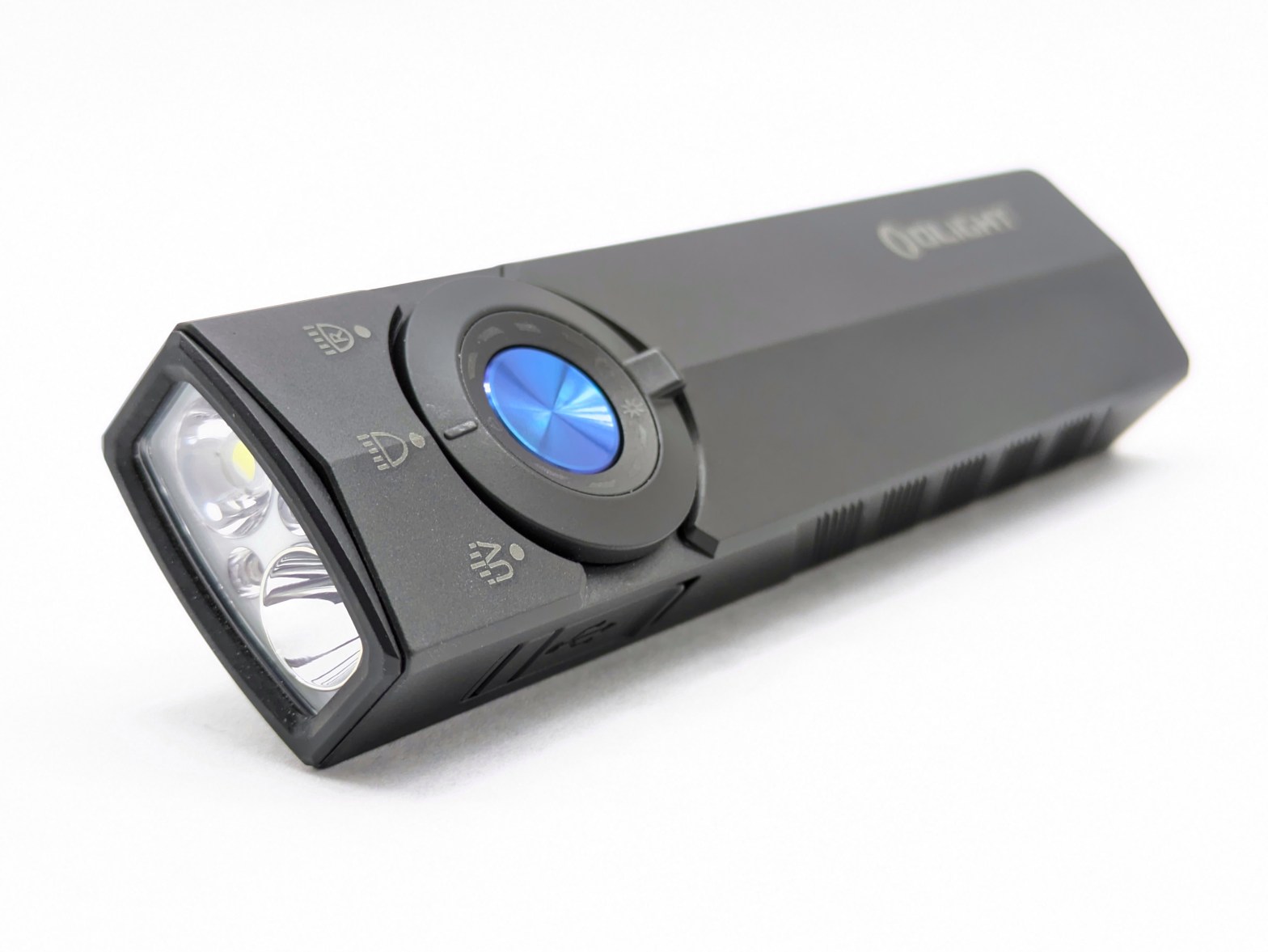
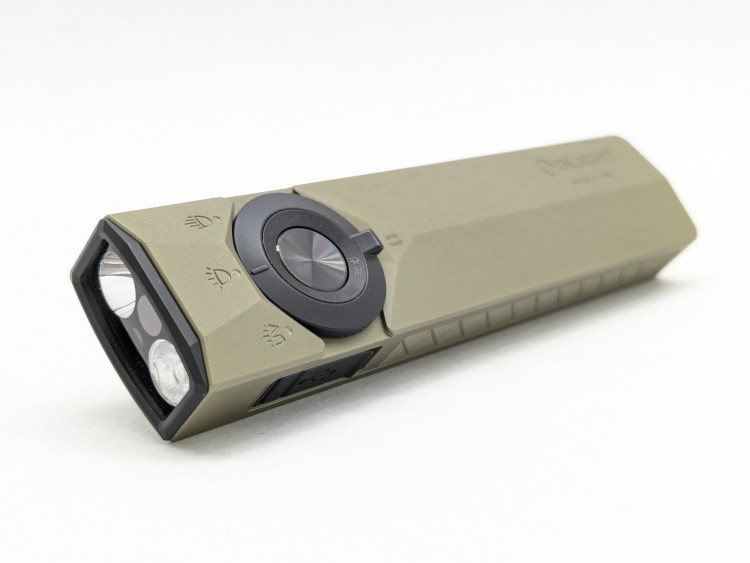
ArkPro Lite’s design looks great with a few aesthetic changes from the previous Arkfeld models. They also moved the battery indicator inside the rotary selector ring. As usual, I don’t care for the blue accent and wish there were a monochrome color option.
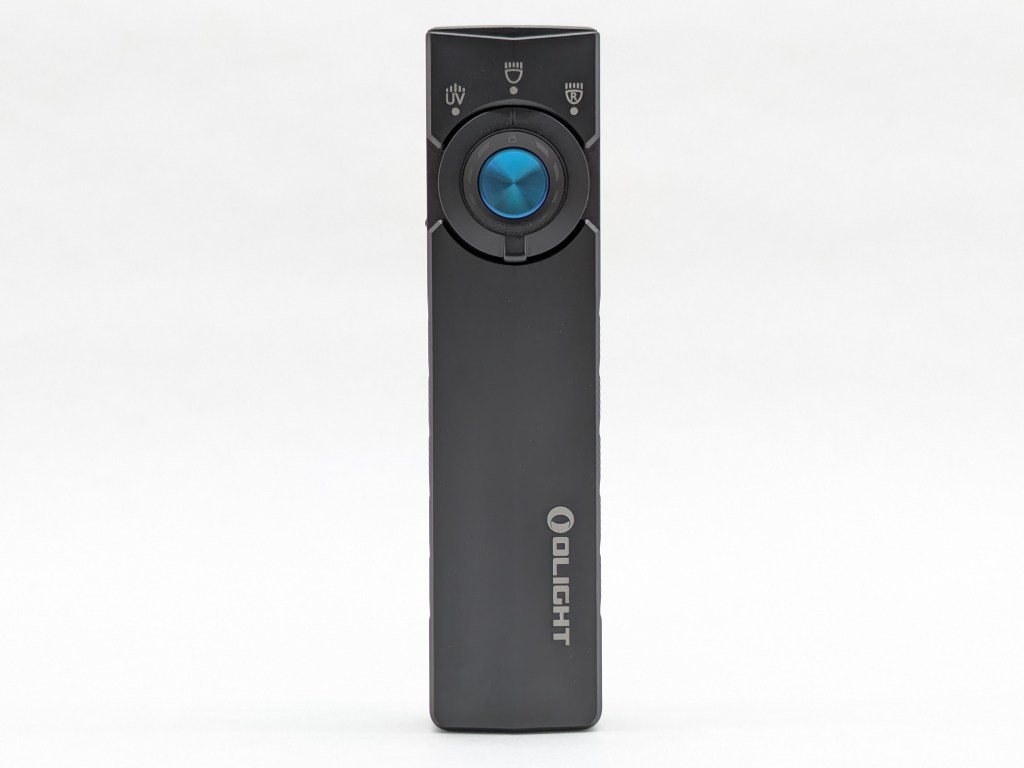
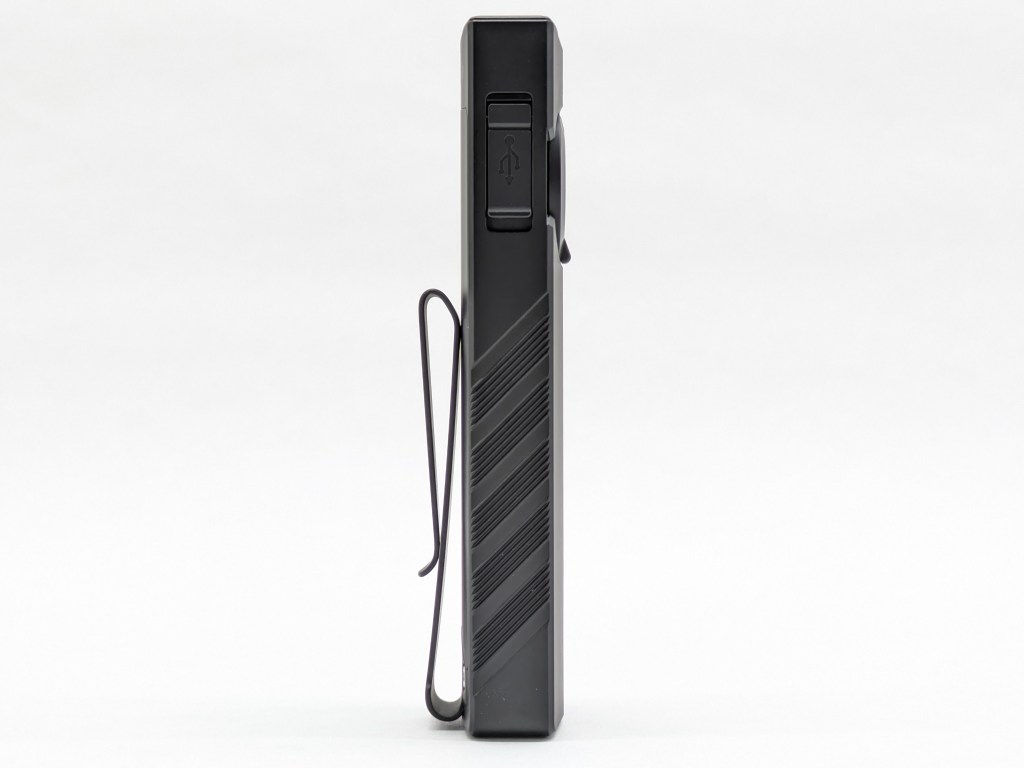
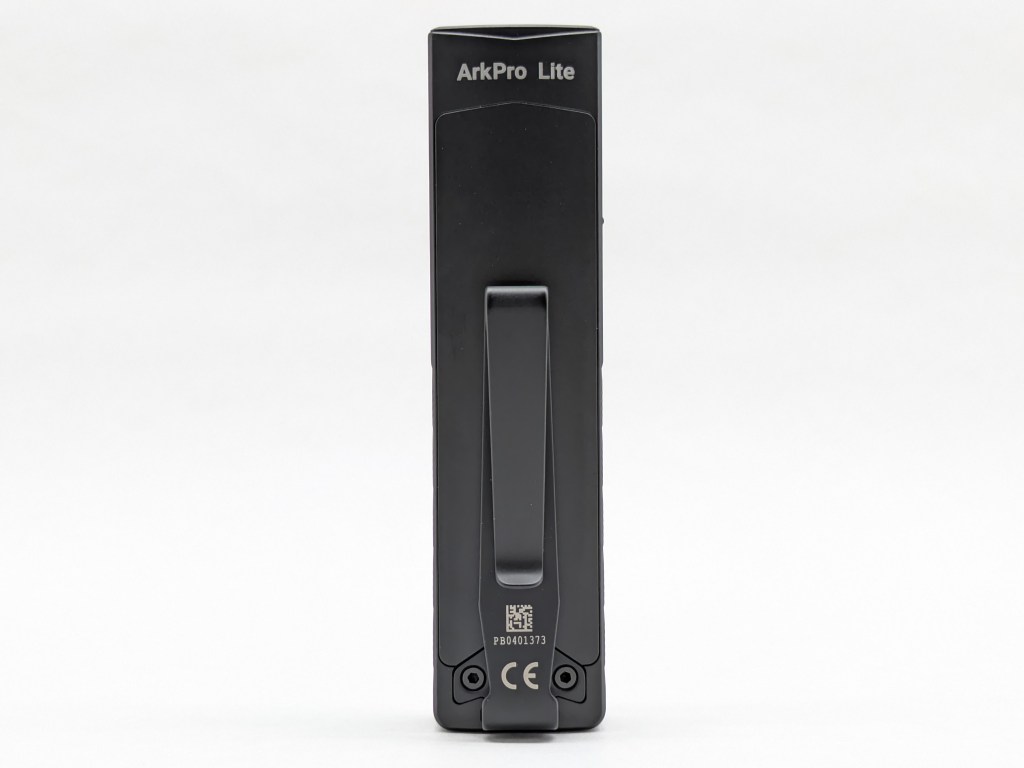
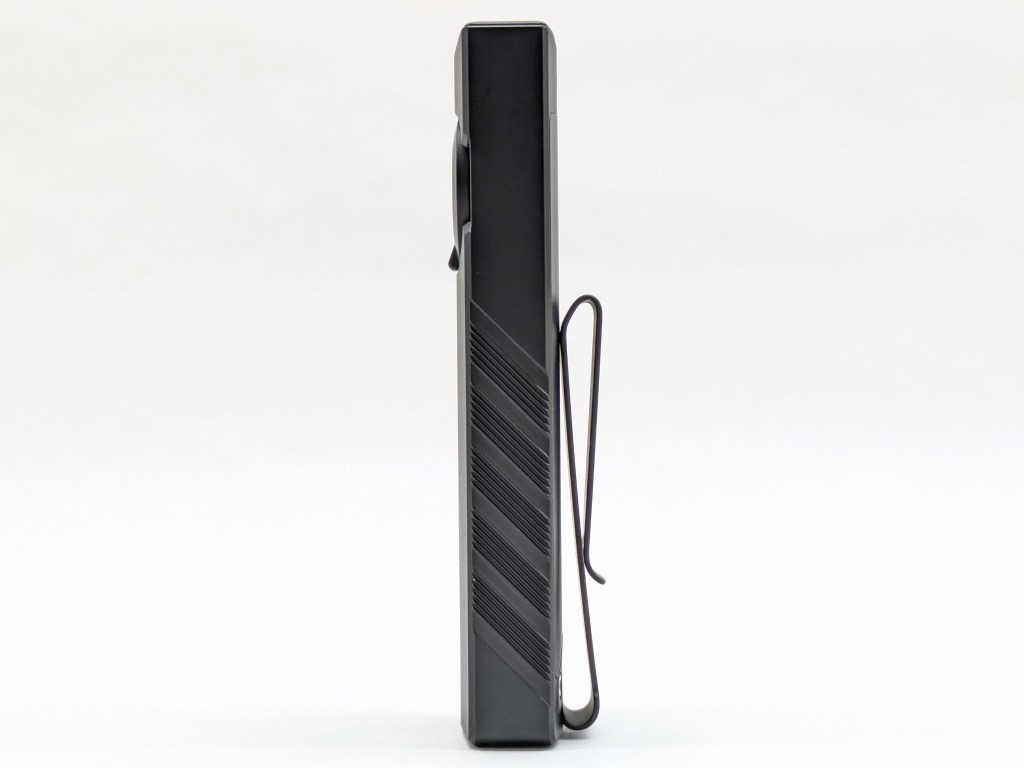
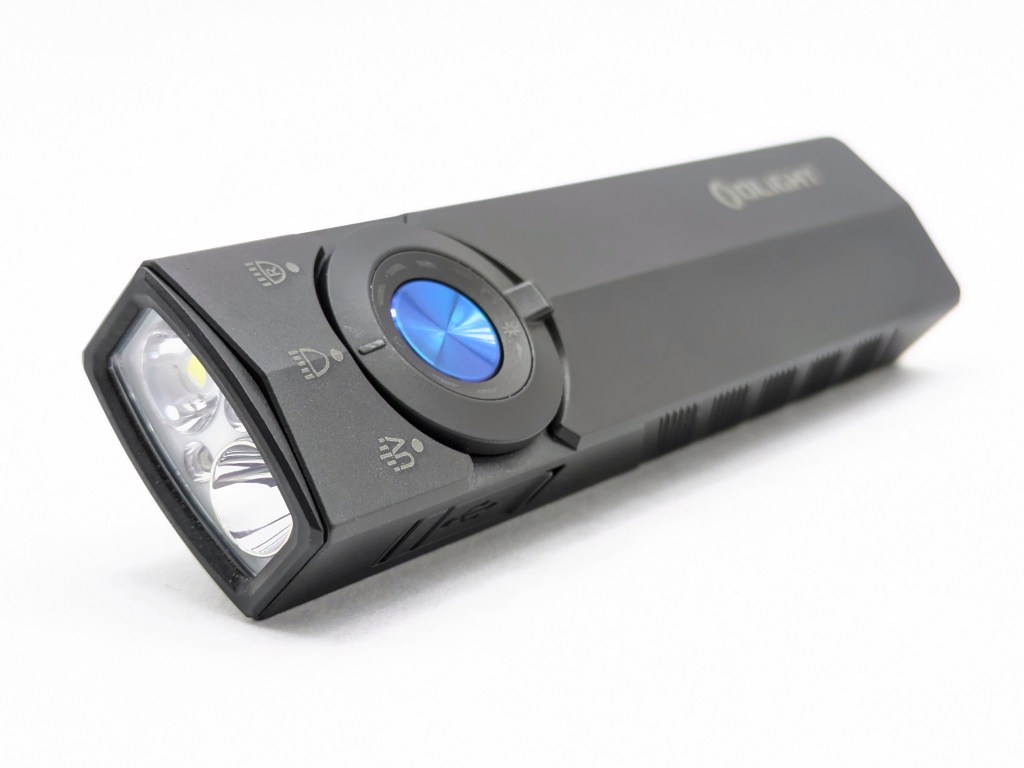
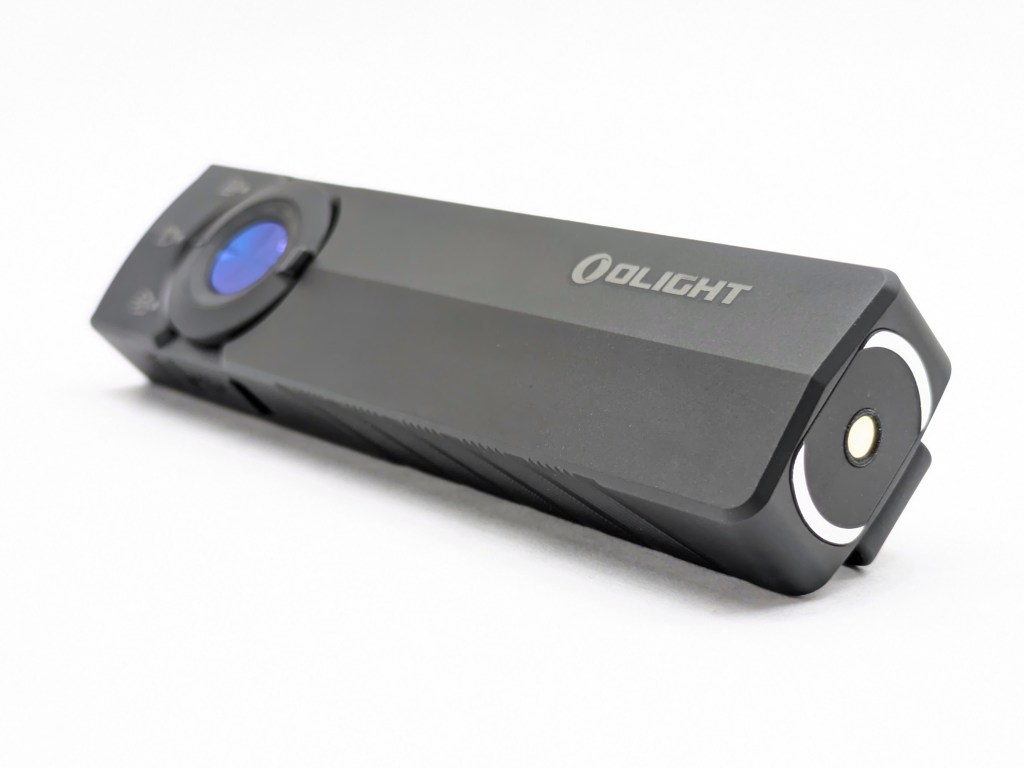

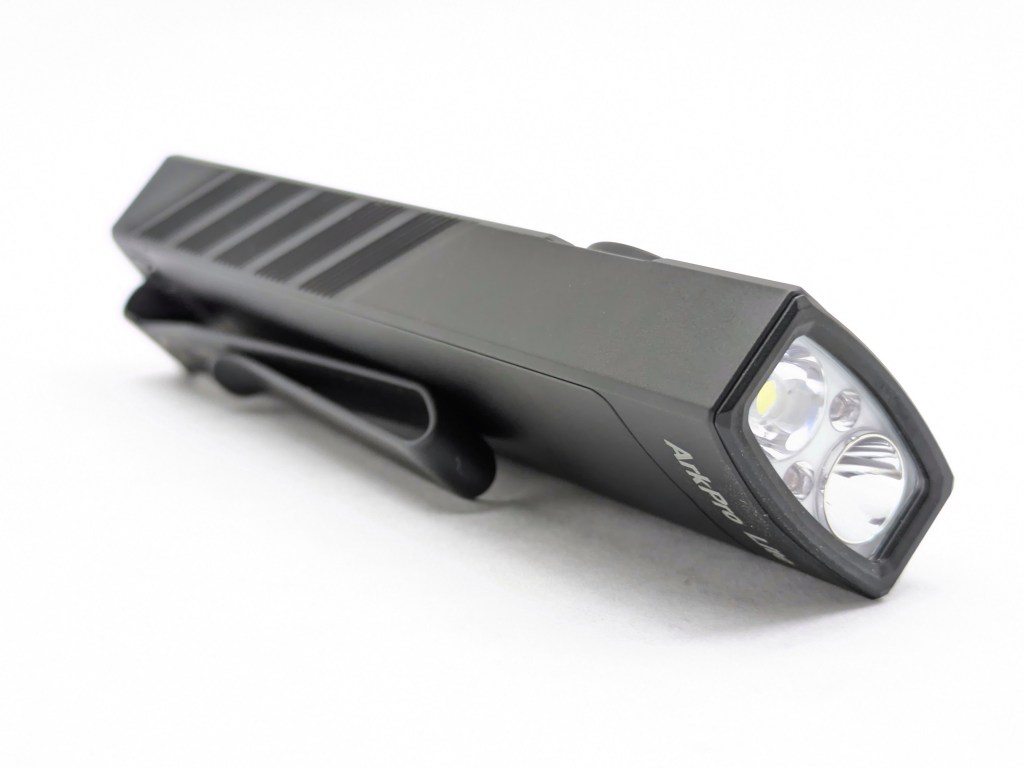
Build quality is great. It feels dense, solid, and well-made in a way you don’t get from cheaper lights.
Size & Measurements
Olight Warrior 3S | Nitecore MT2C Pro | ArkPro Ultra | ArkPro Lite | Maglite 2AA
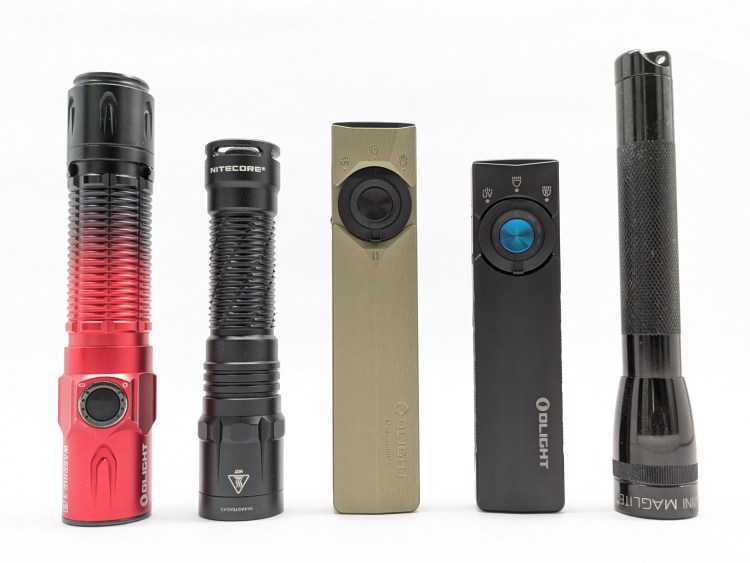
| Measurement | Measured (mm) |
|---|---|
| Width | 27.6 |
| Length | 111.8 |
| Thickness | 16.5 |
| Weight with included battery (g) | 107 |
User Interface
This is largely the same UI Olight has been using for years. It’s got some quirks, but is mostly industry-standard and well suited for daily use. I love the big rotary selector switch.
Basic E-switch UI Checklist (white light): 9/12
- 1C on/off✅
- 1H to change brightness✅
- Stepped levels✅
- Main rotation is Low-Med-High✅
- Moonlight shortcut: 1H from off✅
- Low shortcut: 1H from Moonlight✅
- Turbo shortcut: 2C from anywhere✅
- Strobe shortcut: 3C from anywhere✅
- Mode memory for Low, Medium, and High❌
- High mode doesn’t stay memorized. If you turn the light off in High mode, it will memorize High mode but only for a minute or two after you turn the light off. Then, mode memory will revert to Medium mode. That’s inconsistent, confusing, and inconvenient.
- No mode memory for Moonlight, Turbo, and Strobe❌
- Moonlight is memorized, and Turbo is memorized as High mode. They shouldn’t be memorized because they each have their own dedicated shortcut for quick access. Ironically, the previous issue actually helps fix this Turbo memorizing issue, because mode memory reverts to Medium mode after 1 minute anyway.
- 4C or separate switch to lock/unlock❌
- Lockout is a long hold. That’s too easy to do by accident, especially on a light with UV and no mechanical lockout method.
- Does something when you click the switch in Lockout mode✅
- It illuminates a lock icon on the selector ring. Nice touch!
Notes:
- Timers: A click-release-click-hold will activate a 3-minute timer. A click-release-click-release-click-hold will activate a 9-minute timer. After the timer expires, the light will turn off. I find this feature handy when getting ready for bed.
- UV & Red UI: Click on/off. Always starts on low. Hold from on to get to High mode. No double-click shortcut. I wish it remembered the last brightness level used and had a double-click-high function, but those are minor gripes.
Emitter & Beam
ArkPro Lite has three LED channels: white, red, and UV. Olight doesn’t specify the LED models. Notably, this Lite version includes red LEDs instead of a green laser, does not included a spotlight like the standard version.
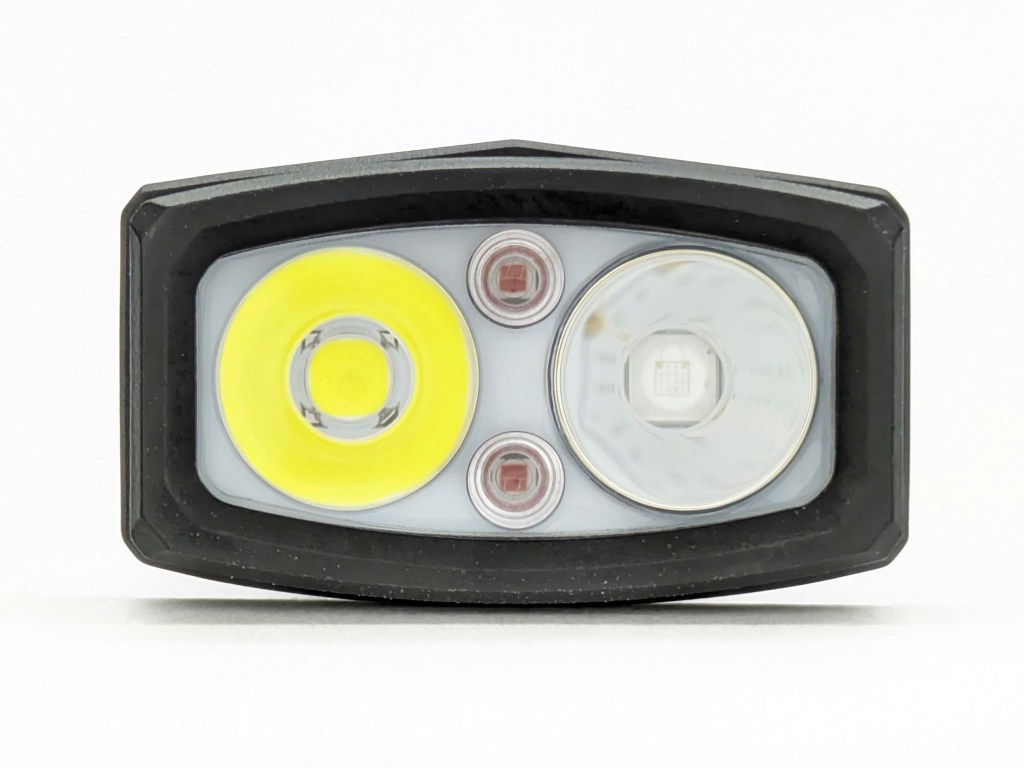
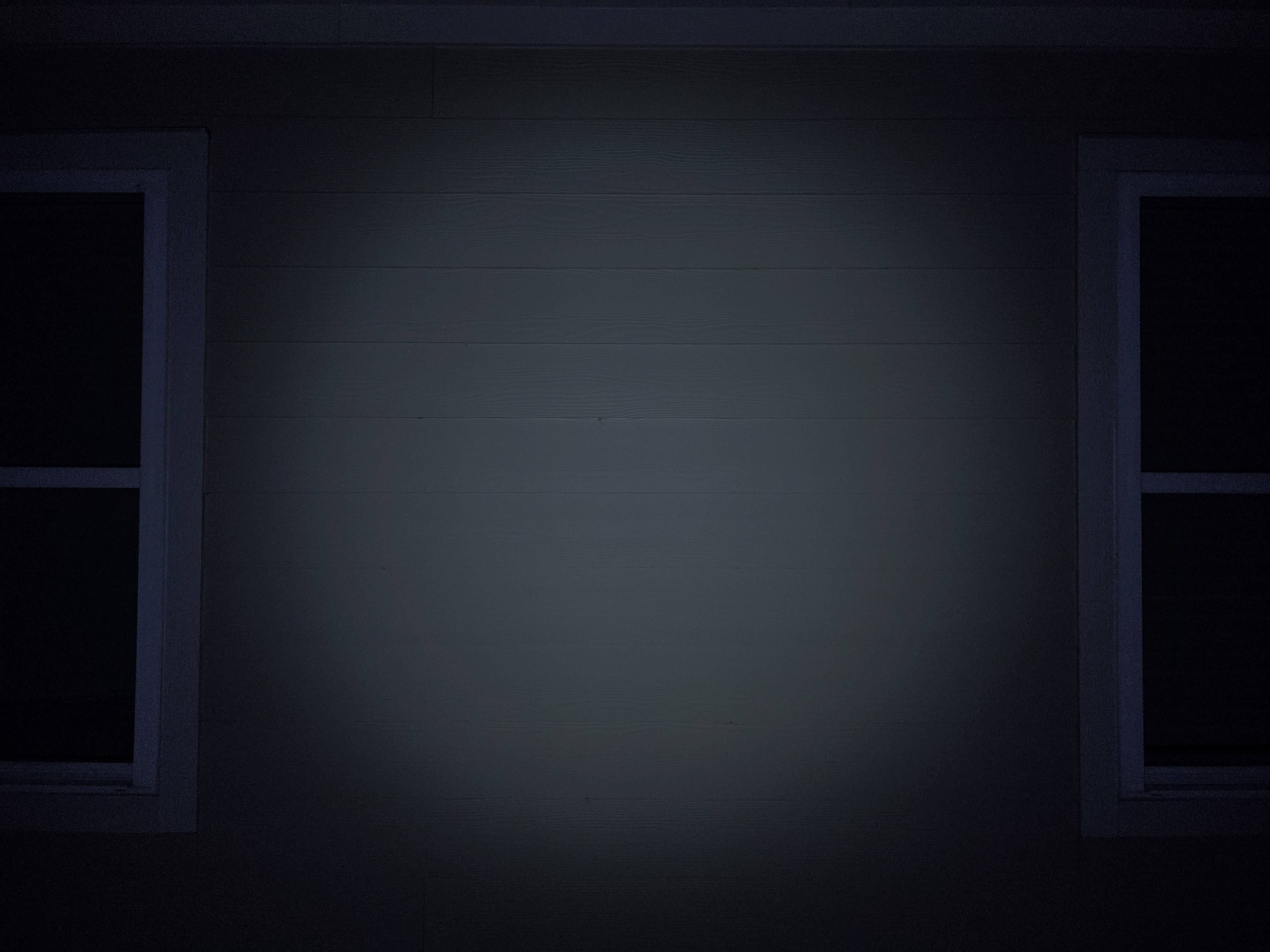
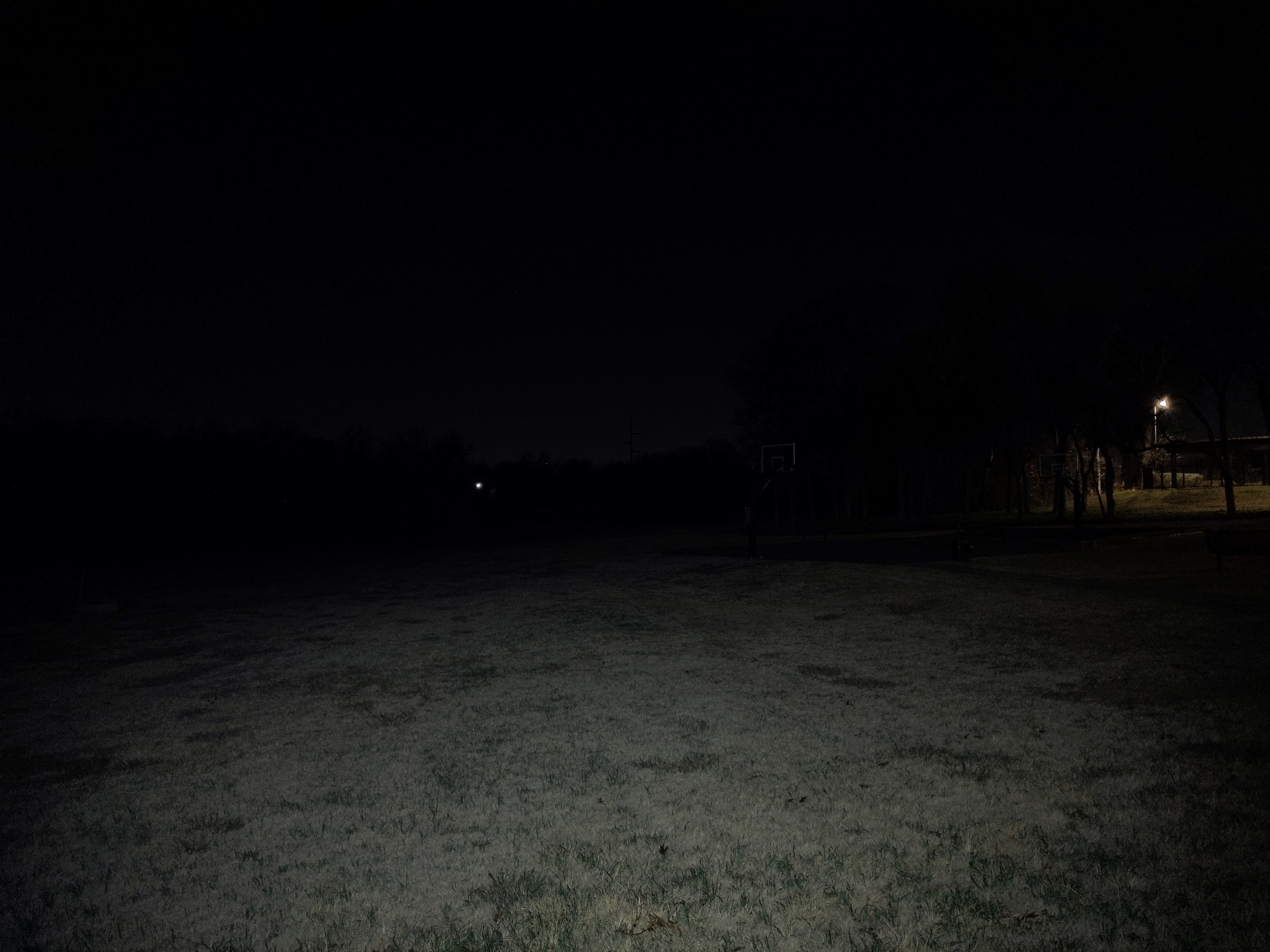
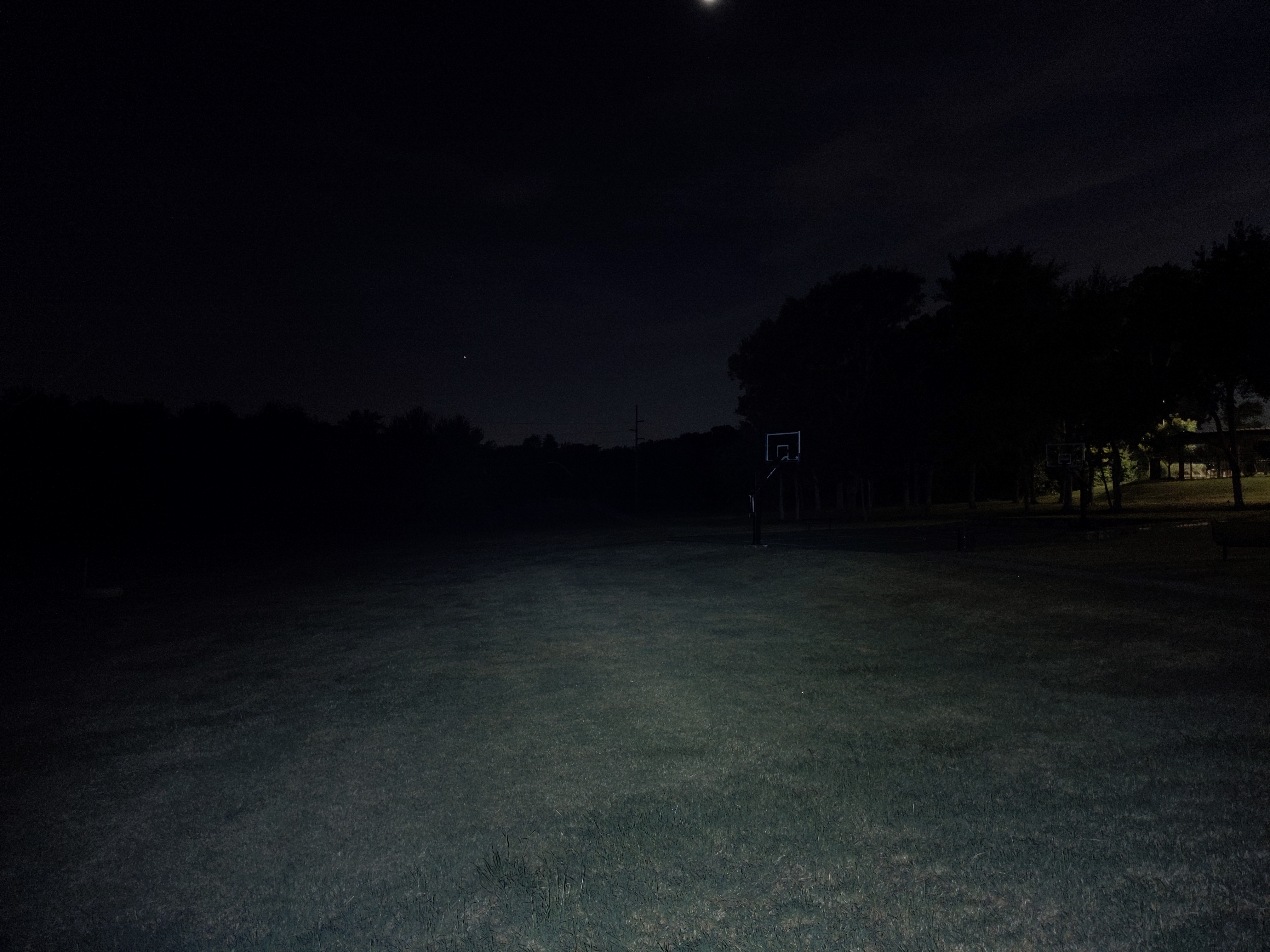
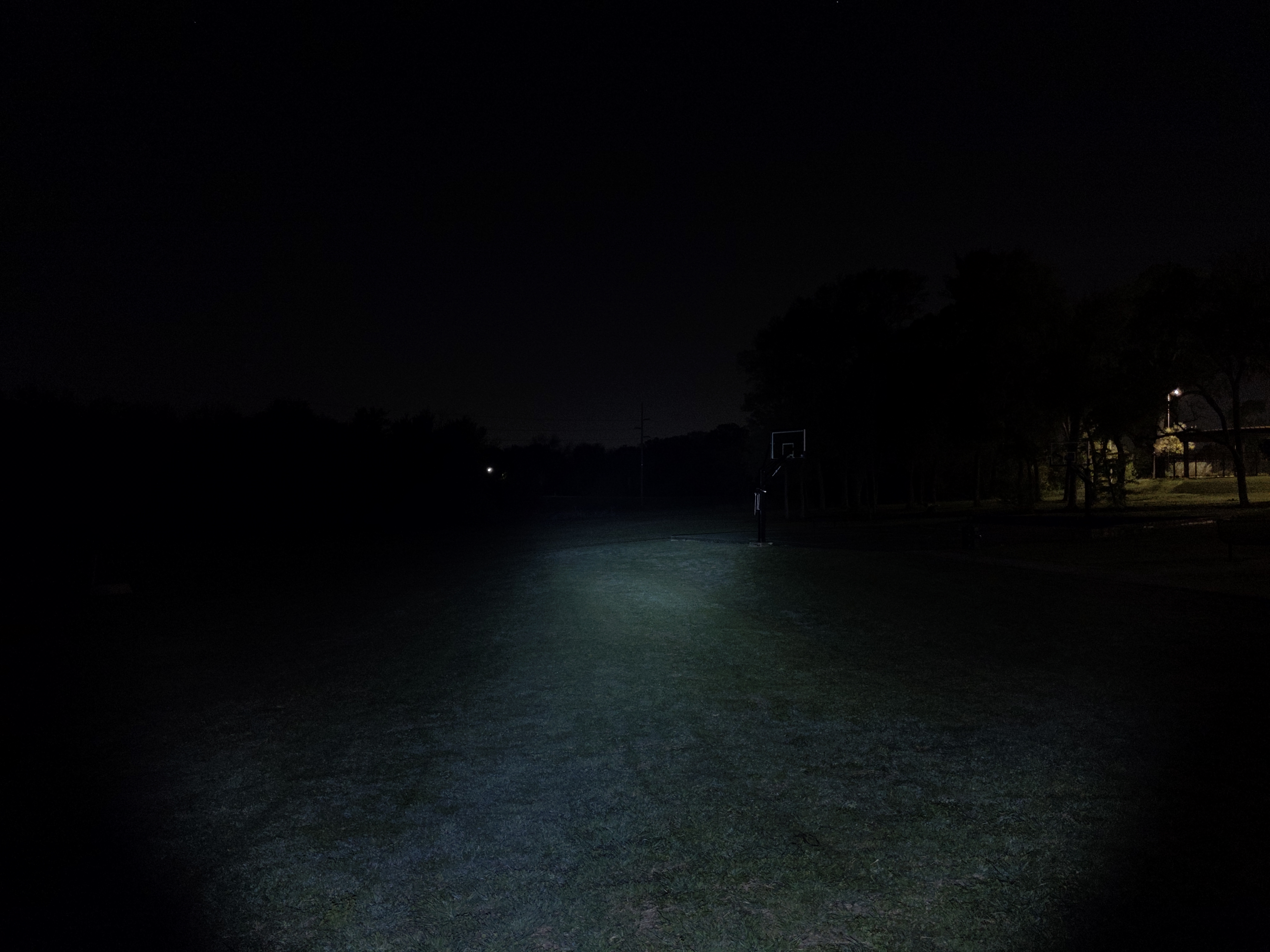
The red and white channels are floody. I wish the main beam were more balanced, like the spotlight channel on the standard ArkPro. The UV beam lacks the filter found on the standard ArkPro. It works fine and is plenty bright, but it has more visible light so it’s less impressive. The red beam works well and gets reasonably dim and reasonably bright.
In the beamshots below, camera settings are fixed and the wall is 2.8M away.
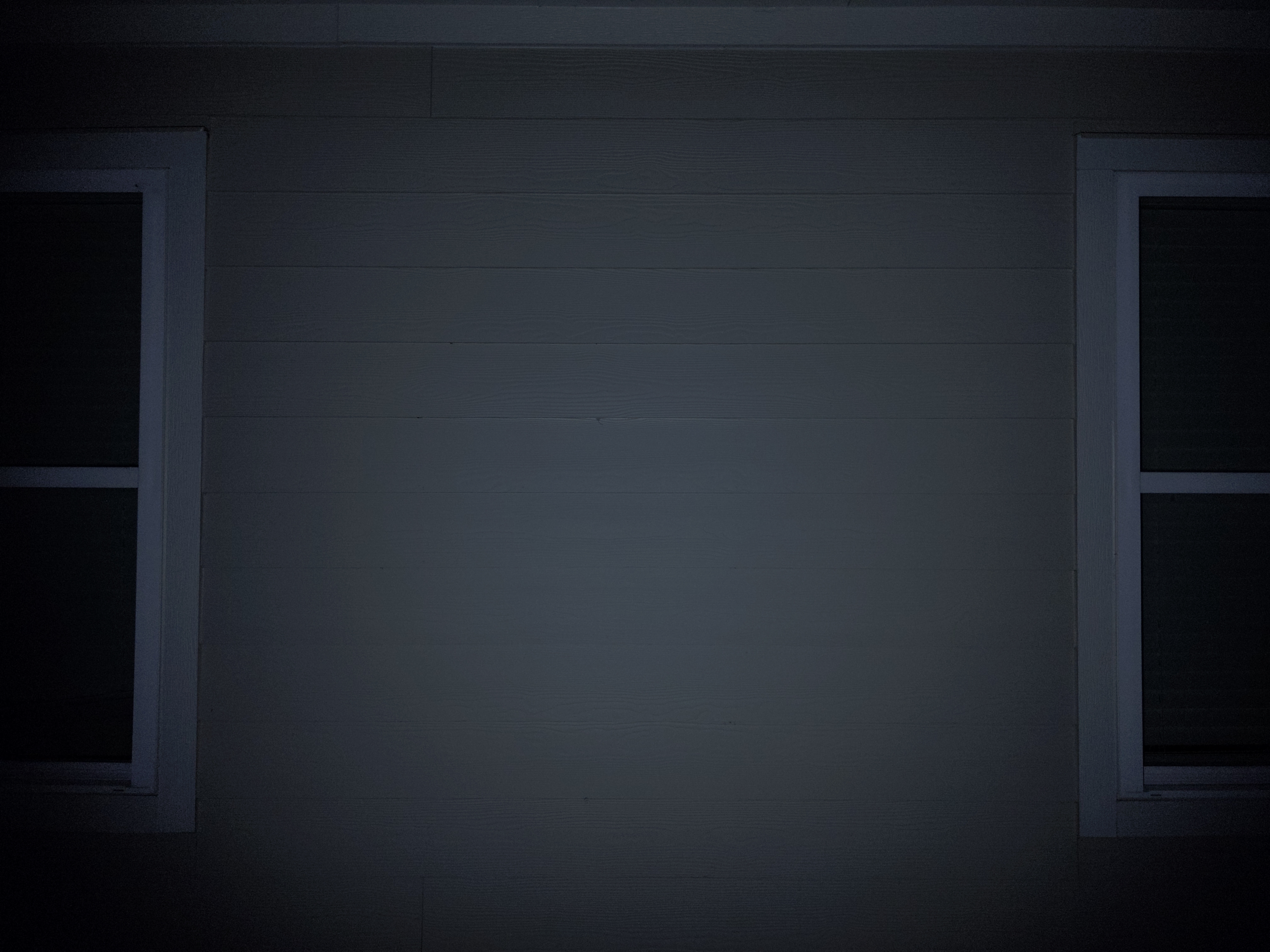
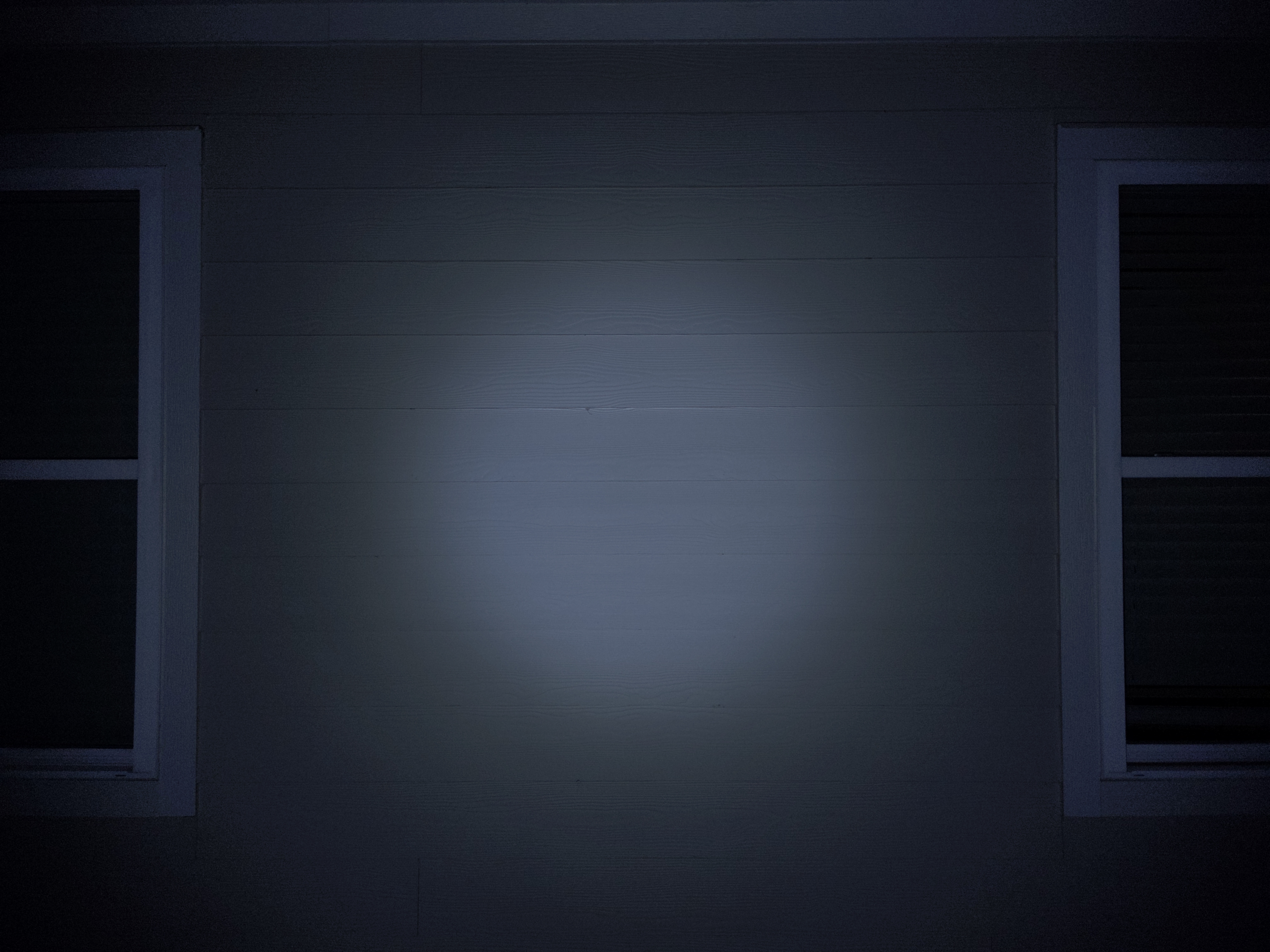
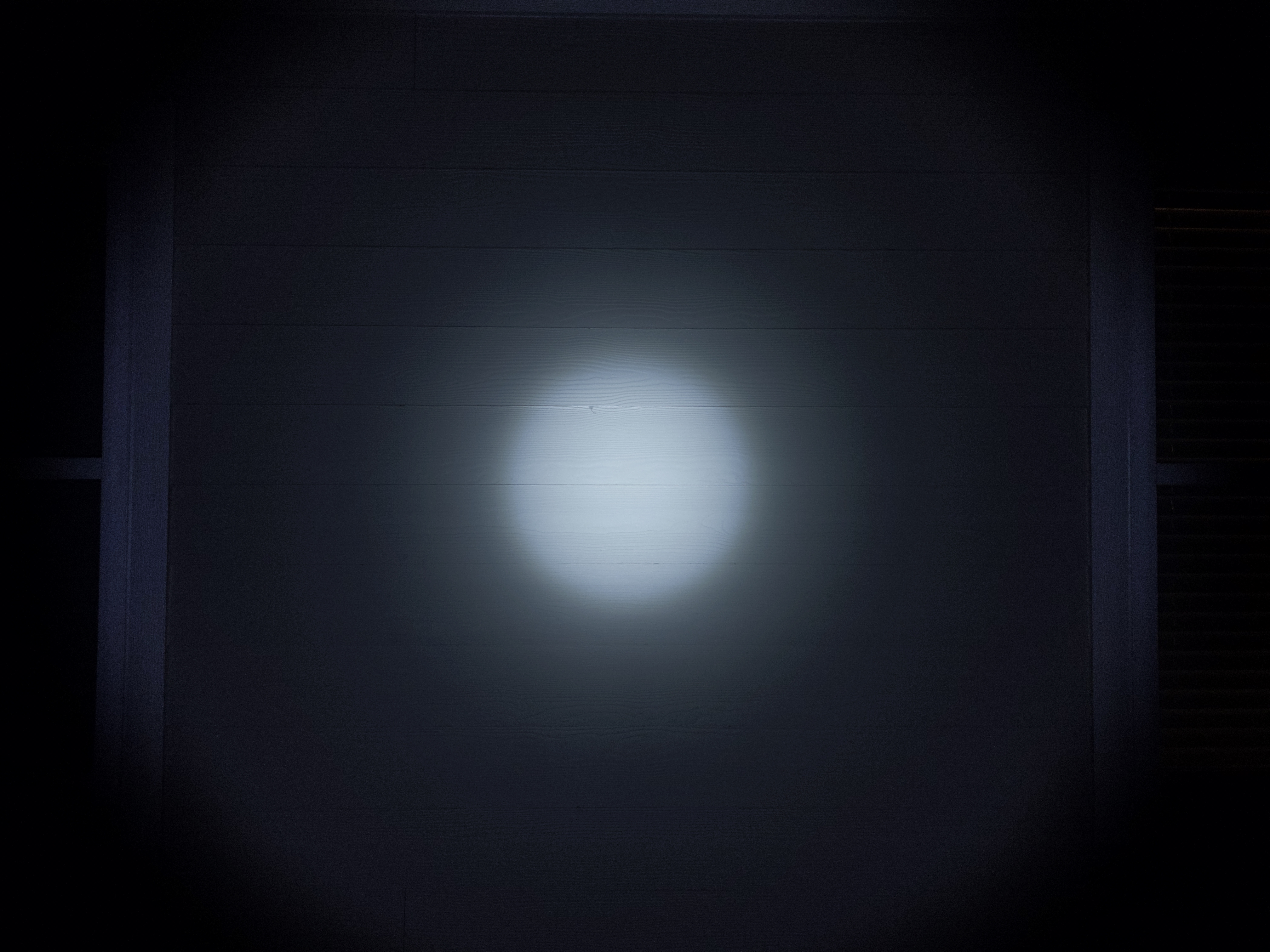
In the beamshots below, camera settings are as similar as possible, the basketball goal to the right of the hotspot is 39M away, and the power pole in the center is 185M away.

Mode Chart
Disclaimer: All of my measurements are taken at turn-on. Lumen measurements were taken on a Texas Ace 3.5″ Lumen Tube. A candela measurement was taken at 10 meters with an Opple Light Master III on the highest brightness, and other candela figures were calculated relative to that. CRI, CCT, & DUV data were taken for each mode from a few feet away at the center of the hotspot with the Opple Light Master and Waveform DUV Calculator. Runtime tests were performed with the Ceilingbounce app on my smartphone. These tests were performed with a fully charged included battery unless otherwise specified. I cannot measure moonlight directly, so moonlight readings are calculated based on the brightness relative to the next-lowest mode. None of this is professional equipment, so take these measurements with a grain of salt.
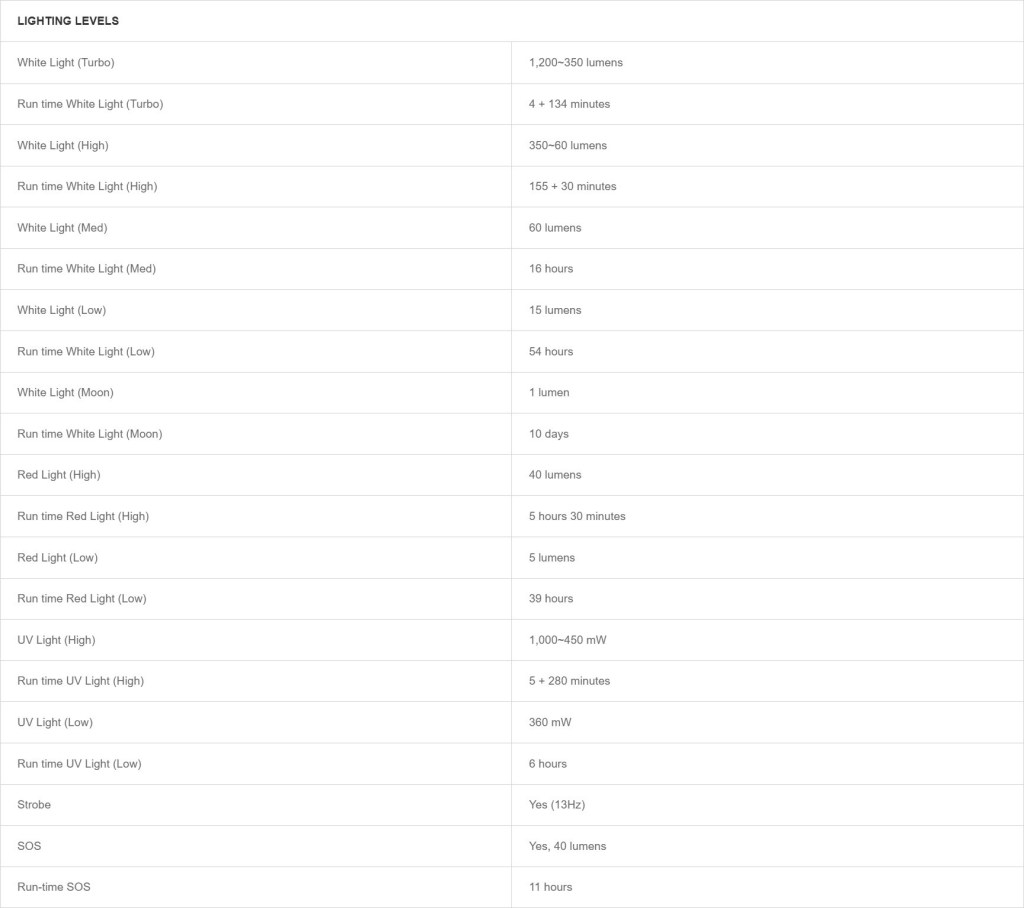
The official specs are above, followed by my own measurements below.
| Level | Lumens | Candela | Throw (Meters) | CRI (Ra) | Color Temp. (K) | DUV (Tint) |
| Turbo | 1100 | 2600 | 100 | 71 | 6170 | 0.0019 |
| High | 300 | 710 | 53 | 69 | 5830 | 0.0050 |
| Medium | 52 | 120 | 22 | 69 | 5900 | 0.0057 |
| Low | 10 | 24 | 10 | 70 | 5820 | 0.0049 |
| Moonlight | 1.4 | 3 | 4 | 69 | 5900 | 0.0064 |
Runtime
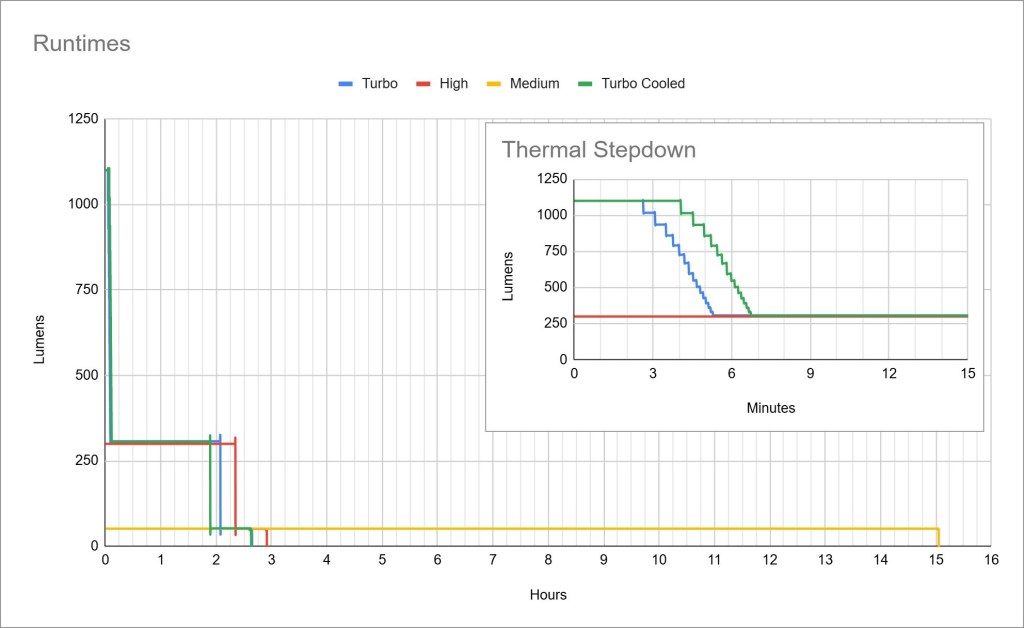
Performance is good and in line with most competitors. Turbo time is above average, lasting 3-4 minutes before stepdown. Sustained output is ~300 lumens for ~2 hours. Runtimes are flat so regulation is good.
Thermal management: My Turbo Cooled test shows a significant increase in Turbo time. That show’s there’s some active thermal management. I wish it also meant higher sustained output when cooled, but that appears to be capped at ~300lm.
LVP(Low Voltage Protection): The light will sharply decrease brightness when the battery is getting low and then will fully shut off when the battery is practically empty. It cannot be temporarily re-activated in an emergency like most lights can. You must plug it in to charge for a moment before it will start working again.
Driver
The driver: The white lights use a buck driver and the UV uses a buck-boost driver. I’m not certain about the red but I imagine it’s buck driven too. That should provide great efficiency and voltage immunity. Ostensibly.
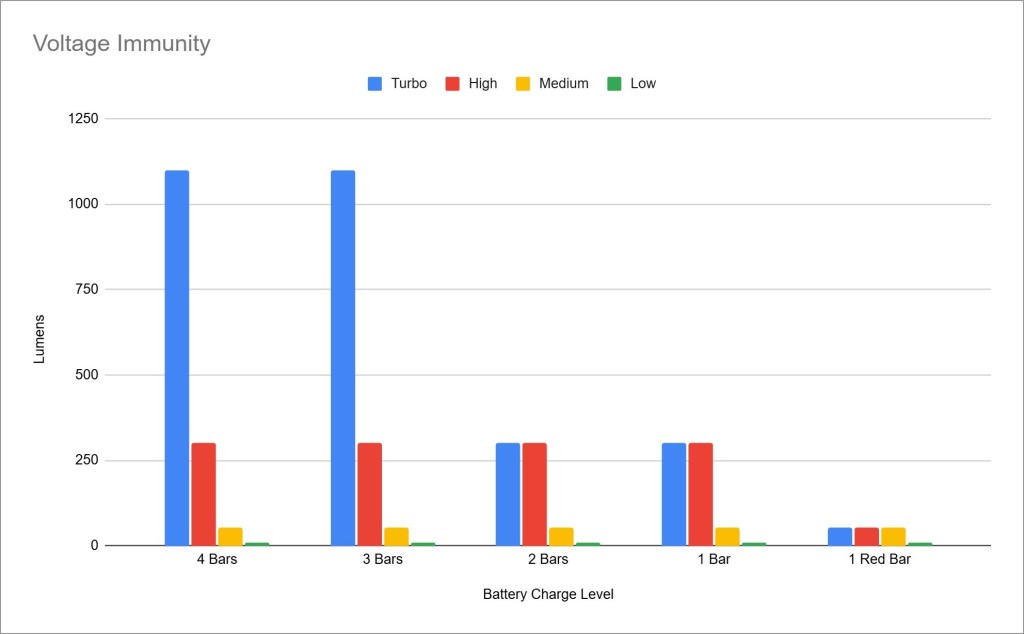
Voltage immunity is poor, and I think it’s by design to extend runtime. I believe Olight programs their lights to make Turbo mode inaccessible below ~2/3 charge and I don’t like that. I’m OK with automatic stepdowns to conserve battery (as shown in the runtime graphs) but I want the ability to use a brighter mode if I think I need it. Note: I changed the name of this section from regulation to voltage immunity to avoid confusion with the “how flat the runtime graph is” type of regulation.
PWM: No PWM is visible to my eyes or camera, nor audible to my ears.
Parasitic Drain: I can’t measure because the battery is built in.
Batteries & Charging
The battery included is a built-in 1350mAh pouch cell. That’s a bit smaller than the outgoing Arkfeld Pro, and about 2/3 the capacity of the standard ArkPro. It’s not user-serviceable, so when the battery eventually wears out, you can’t replace it. That sucks, and it comes with the territory. Virtually all of these flat-style EDC lights have built-in batteries.

Charging is facilitated by a magnetic MCC port on the tail and a USB-C port on the side! That’s a huge improvement over outgoing models. Now existing Olight customers can use their existing chargers, and new customers don’t have to carry around a proprietary cable! The port is covered by a spring-loaded metal flap, and the light works while charging except Turbo. It’s IPX7 rated, but that may only be with the port closed. Charging takes under two hours. There’s no power bank function and I don’t expect one from a light this size.
Switch & Indicators
Switches: ArkPro Lite’s switches are excellent. The main button is comfortable with a tactile actuation. It’s recessed too, so it shouldn’t come on by accident. The selector switch feels very nice, with smooth movement and crisp detents. Selector switches like this are my favorite way to handle multiple channels in a flashlight.
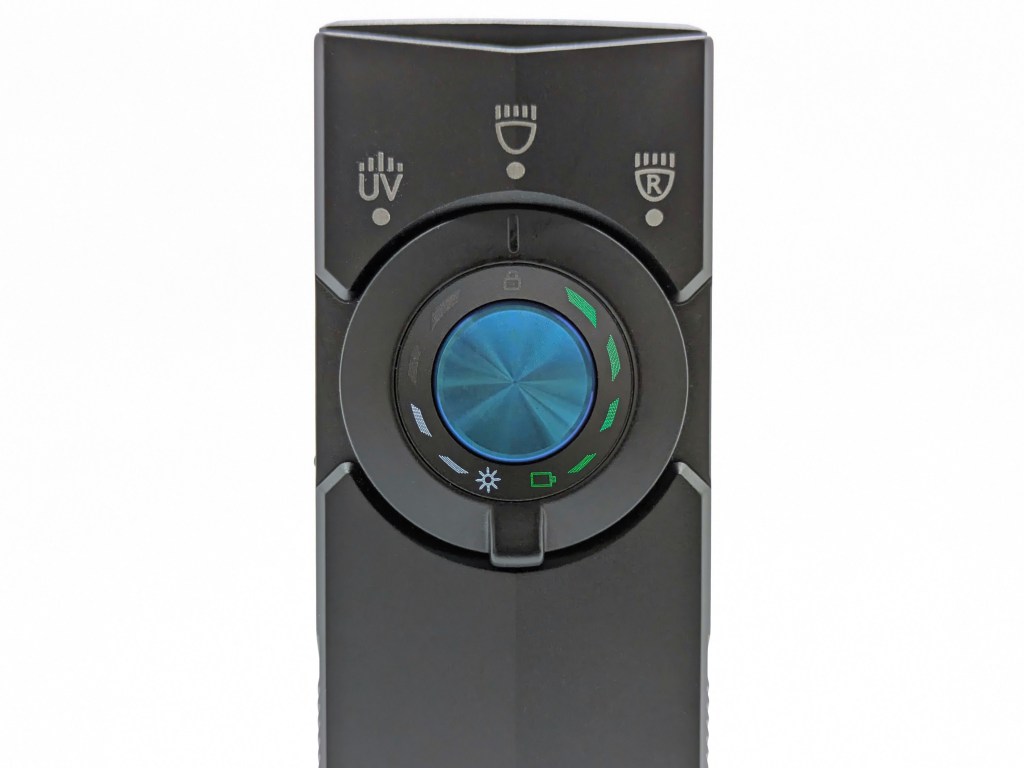
Indicators: There are four indicators on this light: battery, brightness, and lockout.
- The battery indicator is four discrete LEDs to the right of the switch. It’s intuitive, glanceable, and my favorite kind of indicator.
- The brightness indicator is four discrete LEDs on the left side of the switch. Its unnecessary, but it looks nice and doesn’t get in the way.
- The lockout indicator is above the switch. It’s a lock symbol and only appears when the switch is pressed in lockout mode. That’s a really nice touch.
Carry & Ergonomics
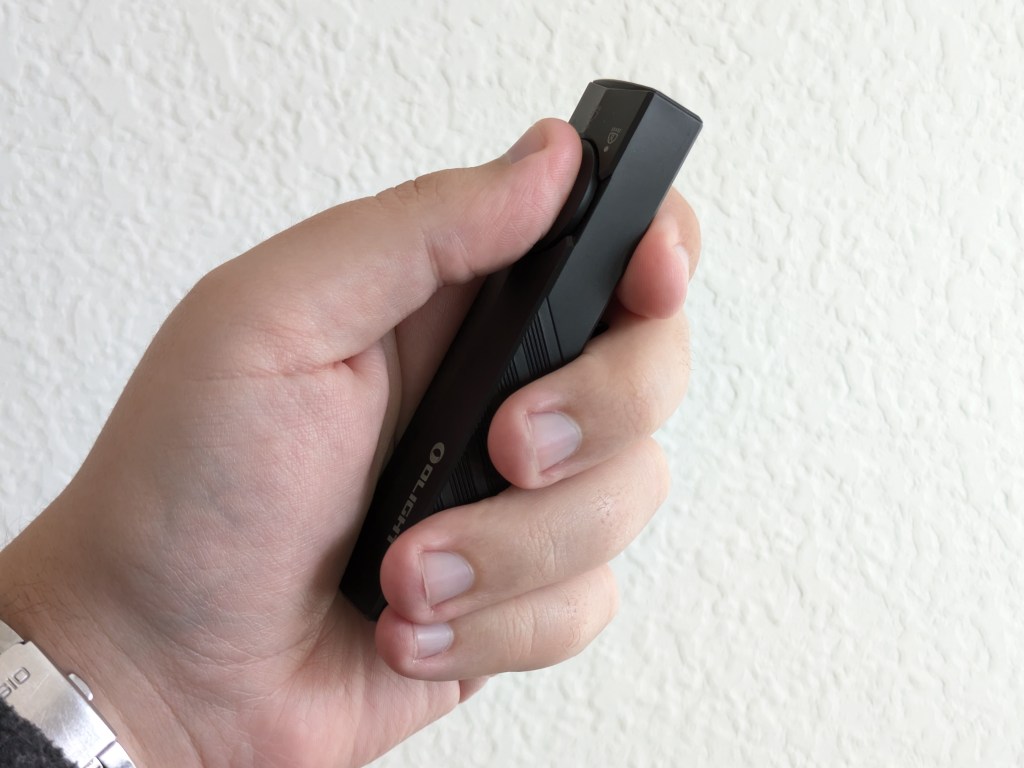
Ergonomics are great. It’s very comfortable in a forward grip.
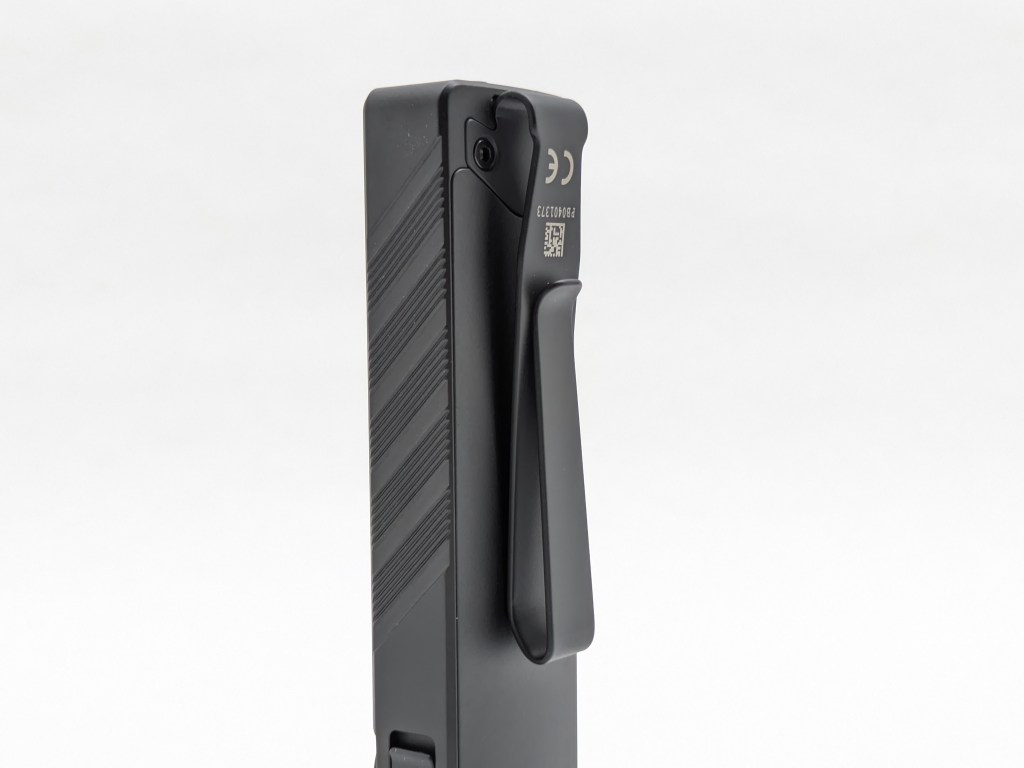
Clip score: 7/7
- Attachment doesn’t pop off or rotate accidentally✅
- Can be removed and bent back into shape if needed✅
- Bezel-down carry is at a reasonable depth✅
- Landing location is smooth, not on the charging port, and away from the bezel✅
- Mouth/ramp and loop(s) are wide enough for pants material✅
- Finish is durable✅
- No bidirectional clips without reason✅
The magnet in the tail is plenty strong. It holds the light up on a vertical surface no problem.
Competition
Here are some lights in the same class and how they compare.
Thrunite Defender: budget alternative
- a little more than than half the price (at the time of writing)
- lower build quality (still good, but not as good)
- green laser instead of red
- lockout on the rotary switch
- weaker magnet
- available in all-black
Olight ArkPro: the upgraded alternative
- a bit more expensive
- adds a spotlight beam
- a bit longer
- 33% larger battery
- green laser instead of red
- smaller battery
Acebeam UC20: user-swappable-battery alternative
- a bit less expensive
- narrower, further-reaching beam
- weak red and UV beams
- battery is user-accessible and swappable, but not a standard size
- instant Turbo tailswitch
- no rotary selector switch
This section is not comprehensive. If I didn’t include a particular light here, it doesn’t mean it’s bad or doesn’t deserve to be here. I simply cannot list every possible competitor.
Conclusion
ArkPro Lite is a marginally smaller, lighter, and cheaper alternative to the standard ArkPro that trades a green laser for a red light. The build quality, switches, ergonomics, pocket clip, and dual charging options are excellent. The UI and regulation are great. Brightness and runtime are good. Voltage immunity is poor, like most Olights. The built in battery is unfortunate but comes with the territory. I wish this had the spotlight beam from the standard ArkPro instead of the floodlight beam, but that’s a personal preference. ArkPro Lite is a sensible addition to Olight’s ArkPro lineup.
Thanks to Olight for sending me this light for review!

 Grizzly's Reviews